

Maximum Products per User for WooCommerce
By WPFactory
Limit number of items your WooCommerce customers can buy (lifetime or in selected date range).
★ 4.6/5 (42)1,000+ active installations
- Version
- 4.5.3
- WordPress
- 5.7+
- Updated
- 20 Nov 2026
WORDPRESS RESOURCES
Explore public plugin information from the official WordPress.org directory. Compare what a plugin does, its requirements and update history before adding it to your website.
Explore WordPress hosting →8,074 matching plugins reported by WordPress.org · Page 7 of 50
Source: WordPress.org
Data refreshed 27 Nov 2026 08:09 UTC
By WPFactory
Limit number of items your WooCommerce customers can buy (lifetime or in selected date range).

By The WP Garden
Add a required Terms and Conditions checkbox per WooCommerce product, variation, category or tag. Classic and block checkout.

By Simple Plugins
Modern, mobile friendly slideout menus: off-canvas, hamburger and full-screen panels built from your WordPress menus, with a visual live editor.
Gutenberg block editor with AI. 70+ Gutenberg blocks, patterns, WooCommerce blocks, post grid, gallery, menu with Gutenberg block library.
Connect ChatGPT, Claude, or another AI agent to your site. Plus backup, malware scan, firewall, stats, CDN, and SEO tools in one plugin.
GutenKit – Ultimate no-code Gutenberg blocks to design stunning web pages and visually stunning posts in WordPress block editor.

By Awais Altaf
Show your logo anywhere: theme header, login screen, admin bar, and emails. Retina, dark mode, mobile, sticky, and per-page logos.

By Matthew Reilly
Protect WordPress menus with automatic backups, one-click restore, and import/export. Transfer menus between sites with ease.
By ELEXtensions
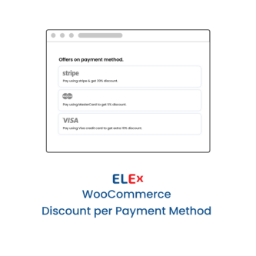
It will be a pleasant little surprise for customers if you offer a discount based on the payment method they have chosen on the Checkout page.
Print the entire page or part of any web page with just a single click.
90+ Elementor widgets & addons, 600+ templates, Mega Menu, WooCommerce, Display Conditions. The only Elementor addon AI agents can fully build with.
Easily create custom blocks and custom meta fields for Gutenberg without hard coding.
CHOOSE WHAT YOUR WEBSITE NEEDS
Start with the task you need to solve. Compare features, WordPress and PHP requirements, update history and the author’s documentation. Test changes on a private copy and avoid adding several plugins for the same job.
This independent directory displays plugin information on WebFulHost and links to the official source. Packages are not mirrored or installed here. A plugin can include paid extensions or services with separate terms from its author.





