Admin Robots.txt Editor
By Karan Makani
Easily create, edit, and manage your site's robots.txt file directly from the WordPress admin panel.
★ 5.0/5 (2)800+ active installations
- Version
- 1.0.1
- WordPress
- 5.0+
- PHP
- 7.2+
- Updated
- 21 Aug 2026
WORDPRESS RESOURCES
Explore public plugin information from the official WordPress.org directory. Compare what a plugin does, its requirements and update history before adding it to your website.
Explore WordPress hosting →10,000 matching plugins reported by WordPress.org · Page 7 of 50
Source: WordPress.org
Data refreshed 20 Nov 2026 04:58 UTC
By Karan Makani
Easily create, edit, and manage your site's robots.txt file directly from the WordPress admin panel.
Keep your dashboard clean by grouping all the WordPress notice and hide them in a notification center.

By Ivijan-Stefan Stipic
Quickly search and filter categories and taxonomies inside the WordPress admin.
UserFlow: Only admins can access the dashboard by default. Whitelist trusted users easily, quick setup, and secure.

By WP-EXPERTS.IN
Protect your WP site by changing the default wp-admin URL and customizing the login page for enhanced security.
By Web Builder 143
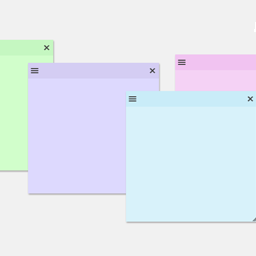
Create sticky notes in your WP admin for reminders and to-dos. Restrict notes by user roles and disable them on specific pages.

By Shayan Farhang Pazhooh
The easiest way to change the WordPress admin font for Farsi websites is by using this lightweight plugin!

By campusboy
Simplify your WordPress admin experience effortlessly. Declutter menus, streamline workflow.
Show Gutenberg Editor in the Frontend. Display WP Admin Pages in the Frontend. Create custom dashboards in the front end, Allow to Edit in the Fronten …

By brandtoss
WP Admin Audit monitors the security-relevant activities on your site, keeps an event log and tells you when something out of the ordinary happens.

By jatacid
Puts all your pages and posts into the admin bar so you can simply hover, view & edit anything in one click.

By Code Snippets Pro
Manage custom WordPress code in one dashboard. Create PHP and HTML snippets, preview code, track snippet totals and reuse code across sites.
CHOOSE WHAT YOUR WEBSITE NEEDS
Start with the task you need to solve. Compare features, WordPress and PHP requirements, update history and the author’s documentation. Test changes on a private copy and avoid adding several plugins for the same job.
This independent directory displays plugin information on WebFulHost and links to the official source. Packages are not mirrored or installed here. A plugin can include paid extensions or services with separate terms from its author.