Addons for Elementor Page Builder.
★ 5.0/5 (2)2,000+ active installations
- Version
- 1.8.2
- WordPress
- 5.6+
- PHP
- 5.4+
- Updated
- 10 Nov 2026
WORDPRESS RESOURCES
Explore public plugin information from the official WordPress.org directory. Compare what a plugin does, its requirements and update history before adding it to your website.
Explore WordPress hosting →2,915 matching plugins reported by WordPress.org · Page 7 of 50
Source: WordPress.org
Data refreshed 21 Nov 2026 06:53 UTC
Addons for Elementor Page Builder.

By Cool Plugins
Add a country code dropdown with flags to Elementor form phone field for valid international numbers. Also works with Hello Plus form widget.

By Andrei Strekozov
8 post grid and post carousel slider widgets for Elementor. Filter by category, tag or author, with load more and pagination.

By Code Snippets Pro
Manage custom WordPress code in one dashboard. Create PHP and HTML snippets, preview code, track snippet totals and reuse code across sites.
By Cool Plugins
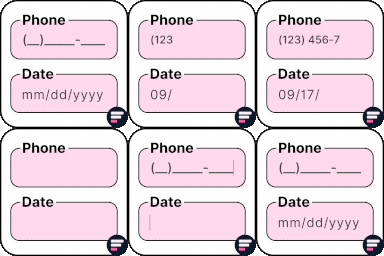
Add input masks to Elementor Pro or Hello Plus form fields - phone, date, time, credit card, CPF, CNPJ, CEP & more for accurate entries.

By Creative Werk Designs
Easily connect Elementor Pro Forms to Google Sheets and automatically sync form entries in real-time—no coding required.
The compact Testimonial Carousel for Elementor lets you show long text reviews in Pop-Up of Carousel Slider.
Find and delete unused images and media files, fix broken entries, with a trash to undo anything. A lighter, faster WordPress! 💕

By WebMat
The plugin "Flexible Editor Panel" makes the Elementor editor panel flexible, draggable, resizable, foldable and adds many productivity features.
Display WordPress posts in beautiful grid, list, slider, and filter layouts. Works with Gutenberg, Elementor, Divi, and Shortcodes.

By Giraphix Creative
Layouts for Elementor is a beautifully designed free layout for famous WordPress Elementor page builders.
Elementor table plugin to build responsive tables in Elementor with drag & drop: merge cells, colspan, rowspan, striped rows and full styling.
CHOOSE WHAT YOUR WEBSITE NEEDS
Start with the task you need to solve. Compare features, WordPress and PHP requirements, update history and the author’s documentation. Test changes on a private copy and avoid adding several plugins for the same job.
This independent directory displays plugin information on WebFulHost and links to the official source. Packages are not mirrored or installed here. A plugin can include paid extensions or services with separate terms from its author.