Display WooCommerce product categories in Elementor with images, titles, product counts, and responsive layouts.
10+ active installations
- Version
- 1.0.2
- WordPress
- 6.3+
- PHP
- 7.4+
- Updated
- 21 Aug 2026
View plugin details ↗Recent sales popup for WooCommerce. Live sales notifications from real orders, sample purchases and store messages: social proof that sells.
★ 5.0/5 (2)40+ active installations
- Version
- 3.0.0
- WordPress
- 6.4+
- PHP
- 7.4+
- Updated
- 17 Nov 2026
View plugin details ↗Move Addons is a WordPress plugin for Elementor page builder, is a powerful tool that helps you to make almost every possible customization to your we …
★ 4.0/5 (6)2,000+ active installations
- Version
- 1.3.8
- WordPress
- 5.0+
- Updated
- 24 May 2026
View plugin details ↗Product Size Charts Plugin for WooCommerce. Add customizable size guides and size chart popup for products and categories.
300+ active installations
- Version
- 1.07
- WordPress
- 5.0+
- Updated
- 19 Nov 2026
View plugin details ↗Gutenberg blocks for news, magazine and blog sites, with a theme builder, mega menu, Global Kit and one-click starter sites.
★ 5.0/5 (5)200+ active installations
- Version
- 2.0.0
- WordPress
- 6.5+
- PHP
- 7.4+
- Updated
- 25 Nov 2026
View plugin details ↗Build responsive WordPress post grids, masonry, carousels & custom cards with a visual Gutenberg builder, AJAX filters, load more & infinite scroll.
★ 4.5/5 (13)1,000+ active installations
- Version
- 3.4.26
- WordPress
- 5.8+
- PHP
- 7.4+
- Updated
- 25 Nov 2026
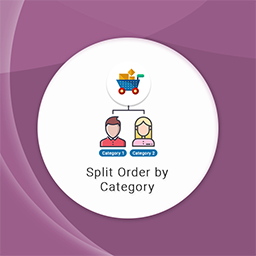
View plugin details ↗"Split order by Category for Woocommerce" allows splitting an order into separate orders based on category.
★ 5.0/5 (1)10+ active installations
- Version
- 1.1.6
- WordPress
- 6.0+
- PHP
- 7.4+
- Updated
- 21 Sep 2026
View plugin details ↗BigBuy\'s official plugin. Synchronise your ecommerce with BigBuy\'s catalogue and access thousands of products with EU stock and fast deliveries.
★ 2.3/5 (32)200+ active installations
- Version
- 2.1.0
- WordPress
- 6.2+
- PHP
- 7.4+
- Updated
- 24 Nov 2025
View plugin details ↗Build beautiful ecommerce websites in minutes, no coding needed.
20+ active installations
- Version
- 2.1.2
- WordPress
- 3.0+
- PHP
- 7.4+
- Updated
- 27 Nov 2026
View plugin details ↗Live international shipping rates, duties and taxes at checkout, plus order sync and tracking for WooCommerce stores connected to TUNL.
100+ active installations
- Version
- 1.2.11
- WordPress
- 6.1+
- PHP
- 7.4+
- Updated
- 14 Sep 2026
View plugin details ↗Transform your fashion store with virtual try-on technology. Let customers see how clothes look on them before buying - boost sales, reduce returns!
★ 5.0/5 (1)20+ active installations
- Version
- 2.0.4
- WordPress
- 5.0+
- PHP
- 7.2+
- Updated
- 12 Feb 2026
View plugin details ↗Turn your WooCommerce store into a real point of sale (POS). Sell in person with cash & card, Z-reports and multi-register and more.
★ 5.0/5 (1)10+ active installations
- Version
- 1.1.2
- WordPress
- 6.4+
- PHP
- 8.0+
- Updated
- 6 Oct 2026
View plugin details ↗