

The best WordPress backup and migration plugin. Quickly and easily backup ,migrate, copy, move, or clone your site from one location to another.
★ 4.9/5 (4,941)1,000,000+ active installations
- Version
- 5.2.0
- WordPress
- 6.2+
- PHP
- 7.4+
- Updated
- 16 Nov 2026
WORDPRESS RESOURCES
Explore public plugin information from the official WordPress.org directory. Compare what a plugin does, its requirements and update history before adding it to your website.
Explore WordPress hosting →10,000 matching plugins reported by WordPress.org · Page 7 of 50
Source: WordPress.org
Data refreshed 22 Nov 2026 16:08 UTC
The best WordPress backup and migration plugin. Quickly and easily backup ,migrate, copy, move, or clone your site from one location to another.

By optimatioseo
Source Lens – Code Finder is the ultimate code search tool for WordPress. It helps developers and site owners locate where any code lives in their Wor …

By Melapress
The #1 user-rated activity log plugin for event logging, activity monitoring and change tracking.

By WebFactory
Easy to use Under Construction Page & Coming Soon Page. Enable Under Construction Mode in seconds & show you're Under Construction!

By devowl.io GmbH
Organize uploaded media in folders, collections and galleries: A file manager for WordPress. Media management made easy with Real Media Library! (Alte …

By weuxstudio
Find text in WordPress posts, pages, Elementor, Site Editor templates, patterns, navigation, and custom post types.

By Softaculous
Loginizer is a WordPress security plugin which helps you fight against bruteforce attacks.
Automatically redirect 404 errors to the right page using a 7-engine matching pipeline and spell-checking algorithm. Zero configuration required.
By Pektsekye
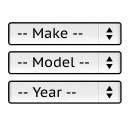
It will find products for selected make and model.

By Inisev
Duplicate post

By Spencer Haws
The AI-powered internal linking plugin for WordPress. Build internal links faster, find linking opportunities, and improve SEO automatically.

By Vladimir Garagulya
Find and delete unused database tables belong to deactivated or deleted plugins directly from WP dashboard.
CHOOSE WHAT YOUR WEBSITE NEEDS
Start with the task you need to solve. Compare features, WordPress and PHP requirements, update history and the author’s documentation. Test changes on a private copy and avoid adding several plugins for the same job.
This independent directory displays plugin information on WebFulHost and links to the official source. Packages are not mirrored or installed here. A plugin can include paid extensions or services with separate terms from its author.
