Offer unlimited chat apps and support channels to your WordPress website.
★ 5.0/5 (7)1,000+ active installations
- Version
- 2.3.6
- WordPress
- 3.0+
- Updated
- 23 Aug 2026
WORDPRESS RESOURCES
Explore public plugin information from the official WordPress.org directory. Compare what a plugin does, its requirements and update history before adding it to your website.
Explore WordPress hosting →1,930 matching plugins reported by WordPress.org · Page 7 of 50
Source: WordPress.org
Data refreshed 22 Nov 2026 01:30 UTC
Offer unlimited chat apps and support channels to your WordPress website.

By WeShareAI
Social and AI share buttons (ChatGPT, Claude, Perplexity, Gemini, and Grok) with built-in local click statistics and CTAs. Self-hosted and fast.

By Trident Technolabs
Easily add a floating button on your site with multiple sub-buttons in a half circle layout. Perfect for quick actions, call-to-action, or shortcuts.

By Easy Payment
PayPal, Credit/Debit Cards, Google Pay, Apple Pay, Pay Later, Venmo, SEPA, iDEAL, Mercado Pago, Bancontact & more - by an official PayPal Partner

By Spacetime
Manage Google AdSense ads, banners, ad rotation, sticky widgets, AMP ads, ads.txt, tracking, header and footer code, PHP code, global custom fields

By Moiseefweb
Animated, fully customizable floating WhatsApp button: number, color, position, size, hover & entrance animations, rings and more.
Secure, control and customize WordPress with modular admin tools, access controls, 2FA, Firewall protection, activity monitoring, and more.

By Catch Themes
To Top is a nifty lightweight plugin. It adds a highly customizable button, which when clicked, scrolls up smoothly to the top of a page.
All in one WordPress plugin - accessibility, tag manager, notes, floating contact buttons, back to top, cookie bar and more.

By themeignite
Add floating buttons for CTAs, social links, and more — fully customizable from your dashboard
WhatsApp full integration for your website! Recover Abandoned Carts, send Order Notifications and add WhatsApp Buttons.
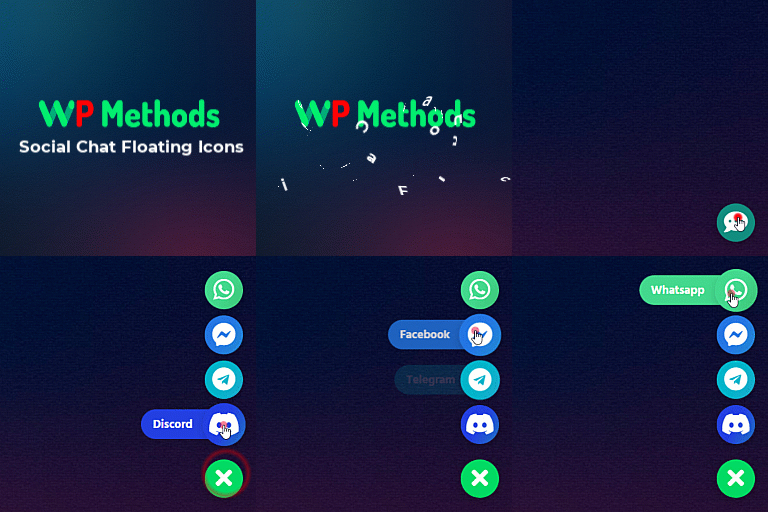
By WP Methods
Display live chat floating icons of any social media like WhatsApp, Messenger, Telegram, etc on your WordPress website.
CHOOSE WHAT YOUR WEBSITE NEEDS
Start with the task you need to solve. Compare features, WordPress and PHP requirements, update history and the author’s documentation. Test changes on a private copy and avoid adding several plugins for the same job.
This independent directory displays plugin information on WebFulHost and links to the official source. Packages are not mirrored or installed here. A plugin can include paid extensions or services with separate terms from its author.