Rename media files safely: updates every link, adds 301 redirects, keeps a full undo history, and finds badly named files for you.
40+ active installations
- Version
- 1.9.2
- WordPress
- 6.0+
- PHP
- 7.4+
- Updated
- 12 Nov 2026
View plugin details ↗Backups that finish — even on slow shared hosting. Resumable WordPress backup, restore, and migration to S3, R2, FTP, SFTP, and more.
★ 5.0/5 (1)10+ active installations
- Version
- 1.49.1
- WordPress
- 6.7+
- PHP
- 8.0+
- Updated
- 24 Nov 2026
View plugin details ↗Complete WordPress dark mode with brightness control, contrast adjustment, toggle styles, and auto detection.
★ 5.0/5 (5)200+ active installations
- Version
- 1.3.1
- WordPress
- 6.0+
- PHP
- 7.4+
- Updated
- 19 Nov 2026
View plugin details ↗Back up, restore, and migrate WordPress sites with resumable jobs, rollback checkpoints, direct migration, and optional Google Drive.
★ 5.0/5 (4)400+ active installations
- Version
- 2.5.0
- WordPress
- 6.2+
- PHP
- 7.4+
- Updated
- 29 Oct 2026
View plugin details ↗A media library organizer for WordPress: nested folders by drag and drop, collections, duplicate and unused file cleanup, WebP/AVIF on upload.
★ 5.0/5 (1)20+ active installations
- Version
- 0.3.26
- WordPress
- 6.5+
- PHP
- 8.1+
- Updated
- 12 Nov 2026
View plugin details ↗Optimize and tweak WordPress by disable unused features. Improve performance, SEO and security using Clearfy — super easy, fast and zero code.
★ 4.7/5 (339)40,000+ active installations
- Version
- 2.4.3
- WordPress
- 6.0+
- PHP
- 7.4+
- Updated
- 23 Jul 2026
View plugin details ↗All-in-one WordPress debug & operations toolkit: error log manager, PHP fatal tracker, cron & transient manager, mail logger, traffic analytic …
★ 5.0/5 (2)20+ active installations
- Version
- 5.4.0
- WordPress
- 6.0+
- PHP
- 7.4+
- Updated
- 29 Sep 2026
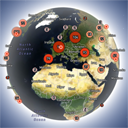
View plugin details ↗Interactive 3D globe that shows your website visitors worldwide in real time and historically, with a fast lightweight Land Cover skin.
★ 5.0/5 (12)60+ active installations
- Version
- 1.5.5
- WordPress
- 5.4+
- PHP
- 7.2+
- Updated
- 20 Nov 2026
View plugin details ↗Generates llms.txt, llms-full.txt, JSON-LD and robots.txt discovery files for AI agents and search crawlers, without promising ranking gains.
★ 5.0/5 (1)30+ active installations
- Version
- 1.6.6
- WordPress
- 6.5+
- PHP
- 7.4+
- Updated
- 12 Oct 2026
View plugin details ↗Fills empty image alt text, title, caption and description from filenames, or from AI suggestions (WordPress AI Client) that you review first.
10+ active installations
- Version
- 3.0
- WordPress
- 5.0+
- PHP
- 7.2+
- Updated
- 21 Oct 2026
View plugin details ↗Score every image for SEO, get AI alt text with your own provider key, quarantine unused media safely and serve WebP/AVIF without touching originals.
★ 5.0/5 (3)20+ active installations
- Version
- 3.0.0
- WordPress
- 6.5+
- PHP
- 7.4+
- Updated
- 30 Oct 2026
View plugin details ↗Import Word (.docx) and Markdown files as WordPress posts, pages or custom post types. Images, headings and tables kept. No copy-paste.
★ 5.0/5 (4)200+ active installations
- Version
- 1.5.0
- WordPress
- 6.0+
- PHP
- 8.0+
- Updated
- 21 Nov 2026
View plugin details ↗