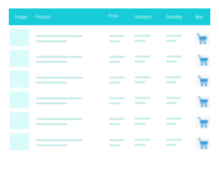
Build responsive, sortable and searchable tables with drag & drop. Import CSV, Excel or JSON. Create data, pricing, comparison and product tables.
★ 4.6/5 (472)70,000+ active installations
- Version
- 5.5.3
- WordPress
- 6.0+
- PHP
- 7.4+
- Updated
- 20 Nov 2026
WORDPRESS RESOURCES
Explore public plugin information from the official WordPress.org directory. Compare what a plugin does, its requirements and update history before adding it to your website.
Explore WordPress hosting →3,191 matching plugins reported by WordPress.org · Page 7 of 50
Source: WordPress.org
Data refreshed 21 Nov 2026 01:00 UTC
Build responsive, sortable and searchable tables with drag & drop. Import CSV, Excel or JSON. Create data, pricing, comparison and product tables.

By WPFactory
Manage product tabs in WooCommerce. Beautifully.

By Trusty Plugins
AJAX filter & WooCommerce product filter. Filter posts, CPTs & products by category, taxonomy, attribute & price. Build with drag & drop or AI (MCP).
WooCommerce Product Badge and Label, Sale Badge, Sold Out Badge, Countdown Timer, Notification Bar (PRO), Quick View, out-of-stock badge.
A truly lightweight, EASY to use and super FAST WooCommerce product table solution to add multiple products to cart at once.

By BerryPress
Automatically assign WooCommerce product categories and tags using smart, rule-based automation. Save time managing products at scale.
Set up complex stock configurations with ease. Shared stock, variable quantities, the possibilities are endless.
Calculate COGS & profit margins, unlock detailed insights into product profitability, and get better financial analytics with our COGS plugin

By PluginEver
Showcase WooCommerce product categories in sliders, grids, or blocks with styling control, responsive layouts, and shortcode support

By Jose Vega
Modern Bulk Editor for Posts and Pages, create and edit hundreds of posts at once in a spreadsheet inside wp-admin. Search and quick edits.

By Octolize Shipping Plugins
Weight based shipping methods for WooCommerce. Flexible shipping with table rate rules by cart weight and order value. Accurate rates at checkout.
Simple Discount Rules for Woocommerce allows administrator to add and remove discount to products based on Category.
CHOOSE WHAT YOUR WEBSITE NEEDS
Start with the task you need to solve. Compare features, WordPress and PHP requirements, update history and the author’s documentation. Test changes on a private copy and avoid adding several plugins for the same job.
This independent directory displays plugin information on WebFulHost and links to the official source. Packages are not mirrored or installed here. A plugin can include paid extensions or services with separate terms from its author.