
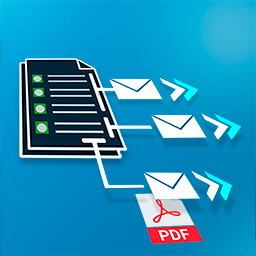
Supplier Order Email
By MCI Desarrollo
Sends an automatic order emails to the suppliers to send the corresponding products to the customer.
★ 4.9/5 (14)300+ active installations
- Version
- 3.6.16
- WordPress
- 4.6+
- PHP
- 7.0+
- Updated
- 17 Jun 2026
WORDPRESS RESOURCES
Explore public plugin information from the official WordPress.org directory. Compare what a plugin does, its requirements and update history before adding it to your website.
Explore WordPress hosting →10,000 matching plugins reported by WordPress.org · Page 7 of 50
Source: WordPress.org
Data refreshed 26 Nov 2026 00:32 UTC
By MCI Desarrollo
Sends an automatic order emails to the suppliers to send the corresponding products to the customer.

By BeRocket
Promote exclusive discounts, new products or free shipping. Create labels easily and quickly!
Showcase variations and impress your customers with beautiful swatches such as color, button, image, and more.

By YoOhw Studio
Split WooCommerce orders by quantity, category, or stock status. Duplicate, merge, return split orders, and manage fulfillment with HPOS support.

By Pektsekye
It adds drop-down, radio button and text field options on the product page.

By BeRocket
Fast and flexible AJAX product filters for WooCommerce. Filter by categories, attributes, price, tags, rating, and more. No page reloads.

By Nitin Prakash
Allow customers to place orders without payment. Ideal for pay-later, B2B, wholesale, and quote-based checkout workflows.

By VW THEMES
Ibtana - Ecommerce Product Addons, you get to explore so many options for editing the product page by simple drag and drop functionality.

By tychesoftwares
Set WooCommerce product prices in multiple currencies with flexible cart and checkout options and per-product currency settings.

By WCBoost
Enhance your WooCommerce store with WCBoost - Products Compare, enabling customers to easily compare products and make informed decisions.
Automate WooCommerce order statuses. Beautifully.
Add a "Make an Enquiry" or "Request a Quote" button on product pages. Now with a free AI assistant that answers customer questions 24x7.
CHOOSE WHAT YOUR WEBSITE NEEDS
Start with the task you need to solve. Compare features, WordPress and PHP requirements, update history and the author’s documentation. Test changes on a private copy and avoid adding several plugins for the same job.
This independent directory displays plugin information on WebFulHost and links to the official source. Packages are not mirrored or installed here. A plugin can include paid extensions or services with separate terms from its author.


