JustTables – WooCommerce Product Table
By HT Plugins
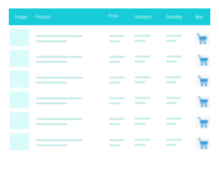
JustTables is a Product Tables plugin for WooCommerce.
★ 3.7/5 (6)500+ active installations
- Version
- 1.8.2
- WordPress
- 5.0+
- Updated
- 30 Aug 2026
WORDPRESS RESOURCES
Explore public plugin information from the official WordPress.org directory. Compare what a plugin does, its requirements and update history before adding it to your website.
Explore WordPress hosting →5,423 matching plugins reported by WordPress.org · Page 7 of 50
Source: WordPress.org
Data refreshed 19 Nov 2026 23:28 UTC
By HT Plugins
JustTables is a Product Tables plugin for WooCommerce.
90+ Elementor widgets & addons, 600+ templates, Mega Menu, WooCommerce, Display Conditions. The only Elementor addon AI agents can fully build with.
Connect ChatGPT, Claude, or another AI agent to your site. Plus backup, malware scan, firewall, stats, CDN, and SEO tools in one plugin.
Show your team with photos, roles and social links in a team grid, slider, table or list. Shortcode builder with live preview, no coding.
Most popular WooCommerce product feed plugin supporting Google shopping feed, meta/facebook feed, bing product feed & more.

By Jure Zadravec
Croatian bazna (sidrena) cijena and a public pricelist. Croatian UI, plus English, German, and Slovenian.

By Tiny Solutions
AI-powered bulk rename, bulk edit metadata, compress images, find duplicates, clean up unused media, and more.
A truly lightweight, EASY to use and super FAST WooCommerce product table solution to add multiple products to cart at once.

By Codepress
Take control of your WordPress admin list tables. Add, remove, and reorder columns for posts, users, media, and more - no coding needed.

By VeronaLabs
Self-hosted, GDPR-ready Google Analytics alternative: cookieless or server-side tracking, visitor statistics, UTM campaigns, goals and funnels.
The all-in-one solution to manage your restaurant reservations and take-away or delivery orders.

By AddonsPress
Advanced Export is a developer friendly WordPress plugin which gives flexibility to export site data in a zip format.
CHOOSE WHAT YOUR WEBSITE NEEDS
Start with the task you need to solve. Compare features, WordPress and PHP requirements, update history and the author’s documentation. Test changes on a private copy and avoid adding several plugins for the same job.
This independent directory displays plugin information on WebFulHost and links to the official source. Packages are not mirrored or installed here. A plugin can include paid extensions or services with separate terms from its author.