

Align Woo Buttons
By 320up
A plugin that aligns WooCommerce "Add to cart" buttons.
★ 5.0/5 (30)2,000+ active installations
- Version
- 3.8.0
- WordPress
- 4.7+
- Updated
- 12 Nov 2025
WORDPRESS RESOURCES
Explore public plugin information from the official WordPress.org directory. Compare what a plugin does, its requirements and update history before adding it to your website.
Explore WordPress hosting →716 matching plugins reported by WordPress.org · Page 7 of 50
Source: WordPress.org
Data refreshed 29 Nov 2026 14:22 UTC
By 320up
A plugin that aligns WooCommerce "Add to cart" buttons.

By QuantumCloud
Display Category based Product Listing for WooCommerce in tab format on any page. Woocommerce category list and woocommerce product table.

By XplodedThemes
"XT Ajax Add To Cart for WooCommerce" allows users to add single products or variable products to the cart without the need to reload the en …

By ShapedPlugin LLC
Add a quick view button in the product loop so visitors can quickly view product information in a nice modal without opening the product page.

By WPClever
WPC Product Timer helps you add many actions for the product based on the conditionals of the time.

By WP Overnight
Create, print & automatically email PDF or XML Invoices & PDF Packing Slips for WooCommerce orders.

By appsbd
Woo Mini Cart Drawer is an interaction mini cart with many styles, color and effects for WooCommerce.
Save abandoned carts and send automated abandoned cart recovery messages. Get more leads, reduce cart abandonment, and increase sales.

By AsanaPlugins
WooCommerce Product Bundle help to creates Product Bundles, Composite Products, Mix and Match, BOGO deals, Offer gift products, and Assembled Products …
By brightvesseldev
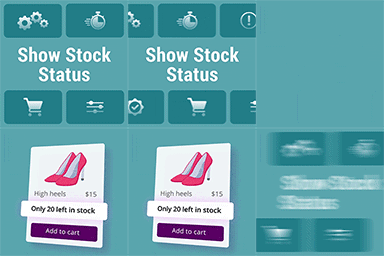
The goal of this plugin is to show the “stock quantity” under each product in the shop, category and archive pages (wherever there is a loop).

By Bosa Themes
Shop-first Elementor addon with WooCommerce widgets, 3,000+ templates, site modules & AI Builder — for your store or any website.

By Ramon Ahnert
Set the WooCommerce Shop only for logged-in users. Just activate the plugin.
CHOOSE WHAT YOUR WEBSITE NEEDS
Start with the task you need to solve. Compare features, WordPress and PHP requirements, update history and the author’s documentation. Test changes on a private copy and avoid adding several plugins for the same job.
This independent directory displays plugin information on WebFulHost and links to the official source. Packages are not mirrored or installed here. A plugin can include paid extensions or services with separate terms from its author.
