

Email deliverability made SOLID. Connect to your chosen email provider with an intuitive set-it-and-forget-it SMTP plugin.
★ 4.2/5 (52)60,000+ active installations
- Version
- 3.0.0
- WordPress
- 6.4+
- PHP
- 7.4+
- Updated
- 12 May 2026
WORDPRESS RESOURCES
Explore public plugin information from the official WordPress.org directory. Compare what a plugin does, its requirements and update history before adding it to your website.
Explore WordPress hosting →1,648 matching plugins reported by WordPress.org · Page 7 of 50
Source: WordPress.org
Data refreshed 19 Nov 2026 14:04 UTC
Email deliverability made SOLID. Connect to your chosen email provider with an intuitive set-it-and-forget-it SMTP plugin.

By upstreamplugin
UpStream is a free but very powerful project management plugin for WordPress.

AI ChatBot for Support, Leads and Sales, with AI SEO, AI Writer, Email Marketing, Social Media Scheduling and Heatmaps to GROW your Website & Business
LoginPress is a Custom Login Page Customizer plugin allows you to easily customize the layout of login, admin login, client login, register pages.

By Nikhil G
Essential WordPress debug tool: View/download logs, toggle debug settings & inspect server info. Troubleshoot PHP errors & site issues faster!

By Rhys Wynne
Display feeds of eBay Products from eBay Partner Network on your site.

By Kuba Mikita
View, pause, remove, edit and add WP Cron events and schedules.

By Mollie
Accept all major payment methods in WooCommerce today. Credit cards, iDEAL and more! Fast, safe and intuitive.

By Dsingh
Clean clear VARNISH cache automatically when content on your site is created or modified, also allow you to purge VARNISH cache manually.

By Marcus (aka @msykes)
Disable plugins or switch themes for just you or the whole site for debugging, troubleshooting or accessing and restoring a broken website.

By Automattic
A very fast caching engine for WordPress that produces static html files.
By Drew Jaynes
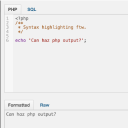
Adds a PHP/SQL console to the Debug Bar. Requires the Debug Bar plugin.
CHOOSE WHAT YOUR WEBSITE NEEDS
Start with the task you need to solve. Compare features, WordPress and PHP requirements, update history and the author’s documentation. Test changes on a private copy and avoid adding several plugins for the same job.
This independent directory displays plugin information on WebFulHost and links to the official source. Packages are not mirrored or installed here. A plugin can include paid extensions or services with separate terms from its author.
