The easiest way to disable all WordPress comments, trackbacks, and pingbacks with one click. Perfect for business sites and portfolios.
★ 5.0/5 (1)200+ active installations
- Version
- 1.0.3
- WordPress
- 5.0+
- PHP
- 7.2+
- Updated
- 6 Aug 2025
View plugin details ↗Invisible spam protection for every form, login and checkout. No puzzles, no checkboxes, no lost visitors — a CAPTCHA your users never see.
★ 4.8/5 (51)5,000+ active installations
- Version
- 6.4.0
- WordPress
- 4.8+
- PHP
- 7.1+
- Updated
- 17 Nov 2026
View plugin details ↗A live, fast, privacy-focused commenting system with advanced spam prevention capabilities. FastComments prioritizes speed and user experience above a …
★ 5.0/5 (5)30+ active installations
- Version
- 3.19.11
- WordPress
- 4.6+
- PHP
- 5.2.5+
- Updated
- 2 Nov 2026
View plugin details ↗Completely remove Attachment Pages from your Blog
★ 4.7/5 (13)800+ active installations
- Version
- 4.0.6
- WordPress
- 4.0+
- PHP
- 7.0+
- Updated
- 23 Oct 2026
View plugin details ↗Find and delete unused images and media files, fix broken entries, with a trash to undo anything. A lighter, faster WordPress! 💕
★ 4.6/5 (781)90,000+ active installations
- Version
- 7.3.7
- WordPress
- 6.0+
- PHP
- 8.1+
- Updated
- 10 Nov 2026
View plugin details ↗Database Backup for WordPress is your one-stop database backup solution for WordPress.
★ 4.5/5 (66)60,000+ active installations
- Version
- 2.5.3
- WordPress
- 3.6.0+
- PHP
- 5.3+
- Updated
- 20 Apr 2026
View plugin details ↗Add Meta Pixel with Conversion API, Google Analytics (GA4) + Consent Mode, Google Tag Manager, OpenAI Pixel & API, and Head & Footer scripts.
★ 4.3/5 (281)400,000+ active installations
- Version
- 11.4.7
- WordPress
- 4.4+
- PHP
- 5.4+
- Updated
- 21 Nov 2026
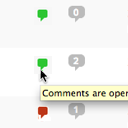
View plugin details ↗Conveniently close or open comments for a post or page with one click from the admin listing of posts.
★ 4.9/5 (10)5,000+ active installations
- Version
- 3.0
- WordPress
- 4.7+
- Updated
- 17 Apr 2025
View plugin details ↗Add modules: share buttons, header/footer scripts, disable comments, reading progress, custom fonts, custom login & more in one plugin.
★ 4.8/5 (318)100,000+ active installations
- Version
- 3.0.14
- WordPress
- 5.3+
- PHP
- 7.4+
- Updated
- 16 Nov 2026
View plugin details ↗Clean database by deleting orphaned data such as 'revisions', 'expired transients', optimize database and more...
★ 4.9/5 (1,964)100,000+ active installations
- Version
- 4.2.0
- WordPress
- 5.0.0+
- PHP
- 7.0+
- Updated
- 20 Aug 2026
View plugin details ↗Formerly "Custom Facebook Feed". Display completely customizable Facebook feeds of a Facebook page. Supports Facebook oEmbeds.
★ 4.7/5 (1,511)100,000+ active installations
- Version
- 4.16.0
- WordPress
- 4.1+
- PHP
- 7.4+
- Updated
- 12 Nov 2026
View plugin details ↗Easy add site-wide, category and article specific custom code before the closing </head> and </body>, or after opening <body> tag.
★ 5.0/5 (51)100,000+ active installations
- Version
- 1.5.9
- WordPress
- 5.2+
- PHP
- 5.6+
- Updated
- 31 Aug 2026
View plugin details ↗