

Connects your WordPress site to 8ight.ai. Automatically publishes SEO-optimized content to your site.
20+ active installations
- Version
- 1.15.2
- WordPress
- 5.8+
- PHP
- 7.4+
- Updated
- 19 Nov 2026
WORDPRESS RESOURCES
Explore public plugin information from the official WordPress.org directory. Compare what a plugin does, its requirements and update history before adding it to your website.
Explore WordPress hosting →4,811 matching plugins reported by WordPress.org · Page 8 of 50
Source: WordPress.org
Data refreshed 22 Nov 2026 14:27 UTC
Connects your WordPress site to 8ight.ai. Automatically publishes SEO-optimized content to your site.

By Wow-Company
Hover Effect is easily applied to your own elements, modified or just used for inspiration.

By Tekod lab.
Extension for Advanced Custom Fields plugin that allows copy/pasting layouts between pages or even sites.
LoginPress is a Custom Login Page Customizer plugin allows you to easily customize the layout of login, admin login, client login, register pages.

By Steve Truman
Places an icon, all time views count and views today count at the bottom of posts, pages and custom post types on any WordPress website.

By POSIMYTH
The original Elementor sticky header & sticky menu plugin. Transparent, fixed & scroll effects (blur, shrink, hide) on Elementor Free or Pro.

By Greg - SiteOrigin
Essential elements for modern websites. Add buttons, sliders, heroes, maps, images, carousels, features, icons, more. Create dynamic pages easily.
All in one WordPress plugin - accessibility, tag manager, notes, floating contact buttons, back to top, cookie bar and more.

By Wow-Company
Easily create floating menus of varying complexity. Use its capabilities to place unique navigation on the site.
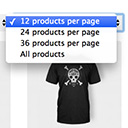
By Jeroen Sormani
Products Per Page for WooCommerce is a easy-to-setup plugin that integrates a 'products per page' dropdown on your WooCommerce pages.

By Bikas Kumar
The free AI SEO plugin for WordPress: trending keyword research, AI content generator, auto blog scheduler, JSON-LD schema and meta tags — all in one.
Display a list of customers who bought a specific product at the bottom of the product edit page in WooCommerce and send them e-mails.
CHOOSE WHAT YOUR WEBSITE NEEDS
Start with the task you need to solve. Compare features, WordPress and PHP requirements, update history and the author’s documentation. Test changes on a private copy and avoid adding several plugins for the same job.
This independent directory displays plugin information on WebFulHost and links to the official source. Packages are not mirrored or installed here. A plugin can include paid extensions or services with separate terms from its author.


