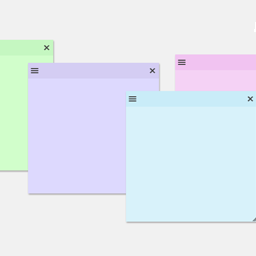
Create sticky notes in your WP admin for reminders and to-dos. Restrict notes by user roles and disable them on specific pages.
★ 5.0/5 (7)1,000+ active installations
- Version
- 1.2.7
- WordPress
- 3.6.0+
- PHP
- 5.6+
- Updated
- 4 Sep 2026
View plugin details ↗Orphan media files cleaner
★ 5.0/5 (2)100+ active installations
- Version
- 1.8.4
- WordPress
- 5.0+
- PHP
- 7.4+
- Updated
- 18 Oct 2026
View plugin details ↗Create and manage custom post types and custom taxonomies with an easy-to-use UI in WordPress.
★ 4.7/5 (13)10,000+ active installations
- Version
- 2.13.1
- WordPress
- 6.7+
- PHP
- 7.4+
- Updated
- 12 Nov 2026
View plugin details ↗Remove unnecessary code, nags and bloat from WordPress core and certain plugins.
★ 5.0/5 (17)5,000+ active installations
- Version
- 1.7.0
- WordPress
- 4.2+
- PHP
- 7.2+
- Updated
- 12 Jun 2026
View plugin details ↗One-click database optimization with precise revision cleanup and flexible scheduling. Speeding up sites since 2011!
★ 4.7/5 (181)50,000+ active installations
- Version
- 5.3.0
- WordPress
- 2.8+
- PHP
- 5.6+
- Updated
- 21 May 2026
View plugin details ↗Variation Swatches for WooCommerce replaces dropdowns with color, image & size swatches, helping shoppers decide faster and buy with confidence.
★ 4.6/5 (51)200,000+ active installations
- Version
- 1.0.14
- WordPress
- 5.4+
- PHP
- 7.4+
- Updated
- 26 Aug 2026
View plugin details ↗Professional database analyzer. Detect hidden memory hogs, clean the wp_options table, and boost site performance safely.
40+ active installations
- Version
- 1.0.1
- WordPress
- 6.0+
- PHP
- 7.4+
- Updated
- 23 May 2026
View plugin details ↗Database scanner for WordPress: finds and cleans malware in posts, options and meta, and lists spam so you can review and delete it.
★ 5.0/5 (1)90+ active installations
- Version
- 1.1.0
- WordPress
- 5.0+
- PHP
- 7.4+
- Updated
- 21 Nov 2026
View plugin details ↗Safely clean up outdated post revisions and their leftover metadata — preview exactly what will be removed with a dry run before deleting.
30+ active installations
- Version
- 1.0.1
- WordPress
- 6.2+
- PHP
- 7.4+
- Updated
- 2 Oct 2026
View plugin details ↗Delete unused images safely, compress images, serve WebP/AVIF, upload SVG safely, and fix broken media. One plugin for a clean, fast media library.
★ 4.0/5 (4)60+ active installations
- Version
- 1.4.1
- WordPress
- 5.8+
- PHP
- 7.4+
- Updated
- 14 Nov 2026
View plugin details ↗Optimize Action Scheduler by cleaning completed, failed, and canceled actions, truncating logs, and controlling the retention period.
★ 5.0/5 (1)300+ active installations
- Version
- 1.0.3
- WordPress
- 6.2+
- Updated
- 12 Aug 2026
View plugin details ↗Customize the WordPress login screen: logo, background, login form & links. Plus your own admin footer text.
★ 4.9/5 (150)7,000+ active installations
- Version
- 5.0
- WordPress
- 5.3+
- PHP
- 5.6+
- Updated
- 9 Nov 2026
View plugin details ↗