

Create WordPress websites with free forms, Gutenberg blocks, popups, sliders, countdowns, animations, pre-built pages, patterns & The Theme Designer
★ 4.9/5 (23)80,000+ active installations
- Version
- 4.2.7
- WordPress
- 5.9+
- PHP
- 7.0+
- Updated
- 20 Nov 2026
WORDPRESS RESOURCES
Explore public plugin information from the official WordPress.org directory. Compare what a plugin does, its requirements and update history before adding it to your website.
Explore WordPress hosting →2,697 matching plugins reported by WordPress.org · Page 8 of 50
Source: WordPress.org
Data refreshed 27 Nov 2026 21:31 UTC
Create WordPress websites with free forms, Gutenberg blocks, popups, sliders, countdowns, animations, pre-built pages, patterns & The Theme Designer

By EDGARROJAS
The most customizable extra product options builder for WooCommerce. You will love how many fields and features the free version has.
Responsive HTML5 video player for WordPress. Embed MP4, WebM, OGG, YouTube & Vimeo with shortcodes or blocks – customizable, fast, SEO-friendly.
AI Events Calendar plugin for creating free or paid events. Supports Event Types, Bookings, Tickets, Venues, Performers, AI abilities, and a lot more.

By annastaa
All-in-one products search and filtering solution for your WooCommerce shop with rich features and customization options.

By Elementor
The Elementor Website Builder has it all: drag and drop page builder, Atomic Editor, pixel perfect design, global and reusable style systems, mobile r …

By Digages
SVG Editor lets you upload SVG files and change their colors directly within the WordPress Media Library.

By Mathew
Display a banner that allows users to add your website as a preferred source on Google Search.
Add a social media icon list. Display social icons and social profile links using a widget or a Gutenberg block.

By Nexcess
Add event category background colors to The Events Calendar events.
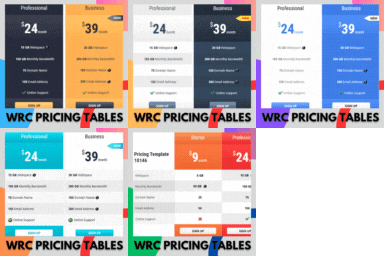
By Realwebcare
Responsive CSS3 pricing tables design to present features and prices of different products. Display pricing tables or comparison table by shortcode.

By Scott Reilly
Force a single admin color scheme for all users of the site.
CHOOSE WHAT YOUR WEBSITE NEEDS
Start with the task you need to solve. Compare features, WordPress and PHP requirements, update history and the author’s documentation. Test changes on a private copy and avoid adding several plugins for the same job.
This independent directory displays plugin information on WebFulHost and links to the official source. Packages are not mirrored or installed here. A plugin can include paid extensions or services with separate terms from its author.


