All-in-One Authorship Solution: Seamless Author Box, Guest Authors, and Co-Authors to enhance your site's authority, credibility, engagement, and SEO.
★ 4.7/5 (158)10,000+ active installations
- Version
- 5.3.2
- WordPress
- 5.2+
- PHP
- 5.6.20+
- Updated
- 8 Oct 2026
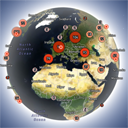
View plugin details ↗Interactive 3D globe that shows your website visitors worldwide in real time and historically, with a fast lightweight Land Cover skin.
★ 5.0/5 (12)60+ active installations
- Version
- 1.5.5
- WordPress
- 5.4+
- PHP
- 7.2+
- Updated
- 20 Nov 2026
View plugin details ↗This plugin makes testing Yoast SEO, Yoast SEO add-ons and integrations and resetting the different features a lot easier.
★ 4.9/5 (12)50,000+ active installations
- Version
- 1.19
- WordPress
- 7.0+
- PHP
- 7.4+
- Updated
- 6 Oct 2026
View plugin details ↗Join millions who empower their websites with ElementsKit Elementor Addons. Get templates, & 100+ widgets like header-footer, mega menu, custom widget
★ 4.9/5 (2,051)1,000,000+ active installations
- Version
- 4.2.0
- WordPress
- 6.0+
- PHP
- 7.4+
- Updated
- 17 Nov 2026
View plugin details ↗Free: WC Wishlist, Email automation, Elementor Widgets. Premium: Back-in-Stock Notifier, Save for Later, Multi-lists, Reports, Email Marketing.
★ 4.9/5 (120)8,000+ active installations
- Version
- 2.0.4
- WordPress
- 5.8+
- PHP
- 7.4+
- Updated
- 2 Nov 2026
View plugin details ↗Add inline footnotes to your posts. On desktop, the footnotes will appear as tooltips. On mobile, the footnote will expand beneath the text.
★ 4.8/5 (32)6,000+ active installations
- Version
- 1.5.1
- WordPress
- 4.6+
- Updated
- 24 Aug 2026
View plugin details ↗Build professional websites faster with ready-made pages and sections, plus flexible layout, typography, color, and spacing controls.
★ 4.6/5 (5)1,000+ active installations
- Version
- 2.0.17
- WordPress
- 5.6+
- Updated
- 9 Nov 2026
View plugin details ↗
By mra13 / Team Tips and Tricks HQ
Easily manage downloadable files and monitor downloads of your digital files from your WordPress site.
★ 4.7/5 (158)20,000+ active installations
- Version
- 4.1.4
- WordPress
- 6.0+
- Updated
- 10 Nov 2026
View plugin details ↗Create unlimited folders with the Folders WordPress plugin, organize & manage your Media Library files, Pages & Posts in folders 📁
★ 5.0/5 (1,529)90,000+ active installations
- Version
- 3.3.1
- WordPress
- 4.7+
- Updated
- 5 Nov 2026
View plugin details ↗Real-time WordPress analytics: live visitors, pageviews, traffic sources, bots and goals. Privacy-first, self-hosted, no external scripts.
★ 5.0/5 (1)100+ active installations
- Version
- 3.3.1
- WordPress
- 5.3+
- PHP
- 7.4+
- Updated
- 5 Nov 2026
View plugin details ↗HT Portfolio - WordPress Portfolio Plugin for Elementor
★ 3.0/5 (4)300+ active installations
- Version
- 1.1.9
- WordPress
- 5.4.1+
- Updated
- 24 May 2026
View plugin details ↗Self-hosted, GDPR-ready Google Analytics alternative: cookieless or server-side tracking, visitor statistics, UTM campaigns, goals and funnels.
★ 4.8/5 (816)70,000+ active installations
- Version
- 6.1.2
- WordPress
- 5.6+
- PHP
- 7.4+
- Updated
- 16 Nov 2026
View plugin details ↗