

Copy Protection plugin is activated it disables the right click, copy paste, content selection and copy shortcut keys
★ 4.3/5 (62)20,000+ active installations
- Version
- 5.3.4
- WordPress
- 4.0+
- Updated
- 13 Nov 2026
WORDPRESS RESOURCES
Explore public plugin information from the official WordPress.org directory. Compare what a plugin does, its requirements and update history before adding it to your website.
Explore WordPress hosting →120 matching plugins reported by WordPress.org · Page 8 of 10
Source: WordPress.org
Data refreshed 19 Nov 2026 13:01 UTC
Copy Protection plugin is activated it disables the right click, copy paste, content selection and copy shortcut keys

By Gerald Drißner
Adds visible AI disclosure labels to selected WordPress images and videos, plus optional machine-readable source information.

By rstake
Display a customizable social page feed on your WordPress site with multiple layouts, color schemes, header options, like box, lightbox, and more.

By etchenet
Display Google Business reviews in a carousel, floating badge, and side panel, with manual reviews, imports, and API sync.

By Bloom Stack
Create a WooCommerce product gallery with video, variation images, flexible thumbnails, and a fullscreen lightbox.
80+ Gutenberg blocks with Pro - sliders, grids, tabs, counters and more - plus a Header & Footer Builder, with per-device controls.

By Fahim Reza
41 free Divi 5 modules and Divi extensions: image carousel, logo carousel, accordion, tabs, modal popup, video popup, FAQ, and more.

By mistechnolabs
Easy contact form and form builder. Multi-step forms, conditional logic, Google Sheets sync and WooCommerce product enquiries.
By Scott Reilly
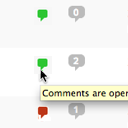
Conveniently close or open comments for a post or page with one click from the admin listing of posts.

By Chris
Put your posts on the map: locations, routes and GPX tracks with OpenStreetMap. Privacy-friendly and made for travel blogs.

By Dennis
Supercharged tool to build your own awesome Encyclopedia / Lexicon / Glossary / Wiki / Dictionary / Knowledge base / Directory / Vocabulary in no time

By Kazi Asif Riad
Switch website front-end between Light, Dark, Grey, Pink, Negative, Blur, and Custom modes with a beautiful floating switcher.
CHOOSE WHAT YOUR WEBSITE NEEDS
Start with the task you need to solve. Compare features, WordPress and PHP requirements, update history and the author’s documentation. Test changes on a private copy and avoid adding several plugins for the same job.
This independent directory displays plugin information on WebFulHost and links to the official source. Packages are not mirrored or installed here. A plugin can include paid extensions or services with separate terms from its author.
