

When Last Login
By Andrew Lima
Show a users last login date by creating a sortable column in your WordPress users list.
★ 4.7/5 (37)50,000+ active installations
- Version
- 1.2.4
- WordPress
- 5.0+
- PHP
- 7.4+
- Updated
- 29 Sep 2026
WORDPRESS RESOURCES
Explore public plugin information from the official WordPress.org directory. Compare what a plugin does, its requirements and update history before adding it to your website.
Explore WordPress hosting →2,525 matching plugins reported by WordPress.org · Page 8 of 50
Source: WordPress.org
Data refreshed 22 Nov 2026 04:48 UTC
By Andrew Lima
Show a users last login date by creating a sortable column in your WordPress users list.
By Roland Murg
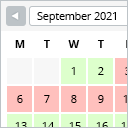
This booking calendar shows when something is booked or available. Use it to show when your holiday home is available for rent, for example.

By Pär Thernström
Track changes and user activities on your WordPress site. See who created a page, uploaded an attachment, and more, for a complete audit trail.

By Subrata Mal
✨ WooCommerce wallet with cashback rewards, store credit, partial payment & top-ups. Boost customer loyalty effortlessly.

By kikipress
Jewish Date is a small plugin to show the Jewish date on your WordPress site.

By wpseek
Simple Yearly Archive is a rather neat and simple Wordpress plugin that allows you to display your archives in a year-based list.
A complete WordPress LMS plugin to create any eLearning website easily.
Automatically add a table of contents to your posts and pages, with smooth scrolling, anchor links, and simple styling options.

By RebelCode
Embed Instagram feeds and photo galleries anywhere on your site. Responsive, accessible and SEO-friendly, with a block, shortcode, and widget.

Sell event tickets with WooCommerce. Event registration, recurring events, RSVP, attendee management & event calendar — free.
The easiest way to connect Google Analytics 4 to WordPress. See real-time stats, eCommerce, and events tracking, right in your dashboard.

By Room 34 Creative Services, LLC
Display your blog posts from this date in previous years as a sidebar widget.
CHOOSE WHAT YOUR WEBSITE NEEDS
Start with the task you need to solve. Compare features, WordPress and PHP requirements, update history and the author’s documentation. Test changes on a private copy and avoid adding several plugins for the same job.
This independent directory displays plugin information on WebFulHost and links to the official source. Packages are not mirrored or installed here. A plugin can include paid extensions or services with separate terms from its author.


