

Solid Performance is a no-code solution for increasing the page performance of your WordPress website.
★ 4.3/5 (3)4,000+ active installations
- Version
- 2.0.2
- WordPress
- 6.4+
- PHP
- 7.4+
- Updated
- 15 Oct 2026
WORDPRESS RESOURCES
Explore public plugin information from the official WordPress.org directory. Compare what a plugin does, its requirements and update history before adding it to your website.
Explore WordPress hosting →10,000 matching plugins reported by WordPress.org · Page 8 of 50
Source: WordPress.org
Data refreshed 19 Nov 2026 05:13 UTC
Solid Performance is a no-code solution for increasing the page performance of your WordPress website.

By LiteSpeed Technologies
All-in-one unbeatable acceleration & PageSpeed improvement: caching, image/CSS/JS optimization...

Free memory & server IP display, PHP EOL countdown, live CPU/RAM sparklines, server location, environment indicators, SSL expiry & EOL alerts.
Translate your site visually, directly from the front-end. Go multilingual in minutes using automatic AI translation. Works with any theme or plugin.

By Rank Math SEO
Grow your organic traffic and AI visibility with powerful SEO tools, XML sitemaps, Schema automation, and built-in AI SEO, all in one place.
Secure WordPress MCP server: we never see your data. Connect Claude, ChatGPT & AI agents to WordPress. 280+ tools for WooCommerce, SEO & GA4. Free.

By David Lingren
Enhances the Media Library; powerful gallery and list shortcodes, full taxonomy support, IPTC/EXIF/XMP/PDF processing, bulk/quick edit.

Turn your WordPress or WooCommerce site into a native Android & iOS app in minutes — no coding required.

By CusRev
Customer Reviews for WooCommerce plugin helps you get more sales with social proof. Set up automated review reminders and increase conversion rate.

By domclic
Generate QR codes easily with a simple shortcode. Supports client-side (JavaScript) and server-side (PHP/PNG) rendering with a developer API.
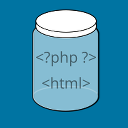
By Scott Reilly
Preserve formatting of code for display by preventing its modification by WordPress and other plugins while also retaining whitespace.
Stop Losing Customers Due to Confusing Pricing - Transform confused visitors into paying customers with crystal-clear price lists that increase conver …
CHOOSE WHAT YOUR WEBSITE NEEDS
Start with the task you need to solve. Compare features, WordPress and PHP requirements, update history and the author’s documentation. Test changes on a private copy and avoid adding several plugins for the same job.
This independent directory displays plugin information on WebFulHost and links to the official source. Packages are not mirrored or installed here. A plugin can include paid extensions or services with separate terms from its author.


