By Weblizar - WordPress Themes & Plugin
Customize Your WordPress Login Screen Amazingly - Add Own Logo, Add Social Profiles, Login Form Positions, Background Image Slide Show
★ 4.6/5 (388)10,000+ active installations
- Version
- 3.6.8
- Updated
- 11 Sep 2026
View plugin details ↗Complete security platform for everyday: block bots, brute-force, viruses, spam, fake crawlers. WAF, 2FA, no-malware, proactive defense.
★ 4.9/5 (14)3,000+ active installations
- Version
- 1.7.12
- WordPress
- 5.9+
- PHP
- 7.4+
- Updated
- 16 Nov 2026
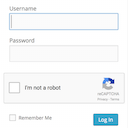
View plugin details ↗Protect WordPress/WooCommerce/Contact Form 7 forms from spam, brute-force attacks, fake comments, accounts, or registrations with Google reCAPTCHA.
★ 4.3/5 (4)900+ active installations
- Version
- 1.2.0
- WordPress
- 5.0+
- PHP
- 5.5+
- Updated
- 19 Jul 2026
View plugin details ↗WordPress OAuth SSO (Single Sign On) with Azure, Okta, Cognito, Keycloak, OAuth & OpenID Providers. Free Unlimited SSO Authentication [24/7 Support]
★ 4.9/5 (327)6,000+ active installations
- Version
- 7.1.5
- WordPress
- 5.9+
- PHP
- 7.0+
- Updated
- 13 Nov 2026
View plugin details ↗WebTotem is a SaaS which provides powerful tools for securing and monitoring your website in one place in easy and flexible way.
★ 4.2/5 (13)700+ active installations
- Version
- 3.0.3
- WordPress
- 6.0+
- PHP
- 8.1+
- Updated
- 10 Nov 2026
View plugin details ↗Adds a Google No Captcha ReCaptcha checkbox to your Wordpress and Woocommerce login, forgot password, and user registration pages.
★ 4.5/5 (63)50,000+ active installations
- Version
- 1.8.1
- WordPress
- 4.6+
- PHP
- 7.4+
- Updated
- 26 May 2026
View plugin details ↗Make SMTP email sending and delivery easy. Configure Gmail SMTP, Outlook, Brevo, SendGrid, Mailgun, SendLayer or connect to any SMTP server.
★ 4.6/5 (710)500,000+ active installations
- Version
- 2.15.1
- WordPress
- 5.5+
- PHP
- 7.4+
- Updated
- 12 Aug 2026
View plugin details ↗Simple and secure passwordless login using email verification codes. No passwords to remember, just enter your email and verify with a 6-digit code.
★ 5.0/5 (2)200+ active installations
- Version
- 1.2
- WordPress
- 5.8+
- PHP
- 7.4+
- Updated
- 20 Nov 2026
View plugin details ↗Passwordless OTP login for WordPress. Login or register with phone number via SMS or Firebase. Compatible with WooCommerce. GDPR-compliant.
★ 4.9/5 (81)1,000+ active installations
- Version
- 1.8.79
- WordPress
- 5.9+
- Updated
- 24 Oct 2026
View plugin details ↗Keep users logged in forever, limit the number of active logins allowed at one time, and alert users of new devices logging into their account.
★ 3.9/5 (26)5,000+ active installations
- Version
- 3.1.6
- WordPress
- 5.0+
- PHP
- 7.4+
- Updated
- 8 Nov 2026
View plugin details ↗WordPress MCP server for Claude and ChatGPT with limited access, a pause switch, read-only mode, drafts you approve, playbooks and an audit log.
★ 4.8/5 (5)1,000+ active installations
- Version
- 1.12.0
- WordPress
- 6.9+
- PHP
- 7.4+
- Updated
- 15 Nov 2026
View plugin details ↗Fix WordPress & WooCommerce email delivery without complex SMTP setup. Built-in sending service, 200 free emails/month, email logs & 1-click resend.
★ 4.9/5 (17)2,000+ active installations
- Version
- 1.0.15
- WordPress
- 4.7+
- PHP
- 7.0+
- Updated
- 26 Oct 2026
View plugin details ↗