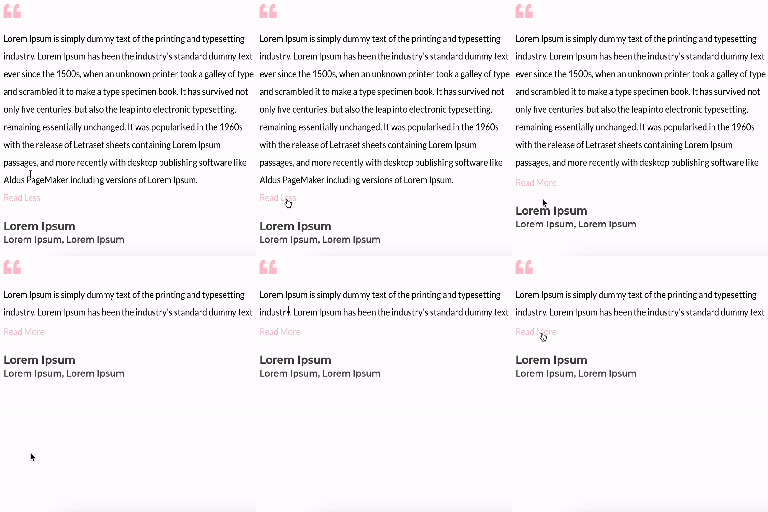
Unfold Text is a straightforward yet powerful add-on for Elementor that allows you to expand and collapse text with ease.
★ 4.6/5 (7)3,000+ active installations
- Version
- 1.2.1
- WordPress
- 6.0+
- PHP
- 7.0+
- Updated
- 8 Jul 2026
View plugin details ↗Create refined masonry galleries in Gutenberg with hover enlargement, custom shadows, and a full-screen image viewer.
★ 5.0/5 (3)1,000+ active installations
- Version
- 2.8.0
- WordPress
- 5.7.2+
- PHP
- 7.4.9+
- Updated
- 8 Oct 2026
View plugin details ↗Automatically add thumbnails to YouTube and Vimeo videos added with Elementor.
★ 5.0/5 (1)100+ active installations
- Version
- 1.2.9
- WordPress
- 5.0+
- PHP
- 5.6+
- Updated
- 20 Nov 2026
View plugin details ↗A powerful and customizable gallery block for WordPress.
★ 5.0/5 (9)2,000+ active installations
- Version
- 1.2.1
- WordPress
- 6.0+
- PHP
- 7.4+
- Updated
- 19 Oct 2026
View plugin details ↗Build photo galleries, image galleries, and portfolio grids with gallery blocks. Masonry, lightbox, sliders, and filters included.
★ 4.8/5 (342)50,000+ active installations
- Version
- 3.11.0
- WordPress
- 6.2+
- PHP
- 8.3+
- Updated
- 17 Nov 2026
View plugin details ↗Adds credits to the media uploads: Source and source URL. URLs are nofollow by default.
★ 3.5/5 (2)100+ active installations
- Version
- 1.5
- WordPress
- 3.0.1+
- PHP
- 7.4+
- Updated
- 1 Feb 2026
View plugin details ↗The original Elementor sticky header & sticky menu plugin. Transparent, fixed & scroll effects (blur, shrink, hide) on Elementor Free or Pro.
★ 4.5/5 (69)300,000+ active installations
- Version
- 2.2.3
- WordPress
- 6.3+
- PHP
- 7.4+
- Updated
- 18 Sep 2026
View plugin details ↗The most comprehensive cookie consent solution for WordPress. Automatically show consent banners based on visitor location with smart geolocation targ …
★ 5.0/5 (5)8,000+ active installations
- Version
- 1.14.5
- WordPress
- 5.0+
- PHP
- 7.2+
- Updated
- 6 Oct 2026
View plugin details ↗Addon for the Elementor page builder to display posts in a grid. Useful for generating post grid from your blog posts with multiple options.
★ 4.9/5 (76)10,000+ active installations
- Version
- 2.0.24
- WordPress
- 5.0+
- PHP
- 5.6+
- Updated
- 25 Aug 2026
View plugin details ↗Add a [zoom] shortcode to display a zoomable featured image.
★ 4.5/5 (11)900+ active installations
- Version
- 2.1.0
- WordPress
- 4.7+
- Updated
- 23 Jun 2025
View plugin details ↗Essential elements for modern websites. Add buttons, sliders, heroes, maps, images, carousels, features, icons, more. Create dynamic pages easily.
★ 4.9/5 (134)400,000+ active installations
- Version
- 1.76.0
- WordPress
- 4.2+
- PHP
- 7.0.0+
- Updated
- 31 Oct 2026
View plugin details ↗Create responsive image, photo and video galleries with justified, grid and masonry layouts, one-click Ready Patterns and a built-in lightbox.
★ 4.0/5 (12)1,000+ active installations
- Version
- 1.2.3
- WordPress
- 6.8+
- PHP
- 8.1+
- Updated
- 13 Nov 2026
View plugin details ↗