Smart Online Order for Clover allows you to receive orders from your Wordpress website and have it sent directly to your Clover POS.
★ 4.9/5 (34)1,000+ active installations
- Version
- 1.6.8
- WordPress
- 4.7.1+
- PHP
- 7.1+
- Updated
- 12 Nov 2026
View plugin details ↗Complete tool for creating and publishing recipes and other schema types on your site.
★ 4.3/5 (25)5,000+ active installations
- Version
- 3.1.4
- WordPress
- 6.5+
- PHP
- 7.4+
- Updated
- 16 Nov 2026
View plugin details ↗Display WooCommerce Products in a Carousel / Slider. Show Top Rated, Best Selling, ON Sale, Featured, Recently Viewed Products With Category Filter.
★ 4.7/5 (17)2,000+ active installations
- Version
- 2.0.4
- WordPress
- 5.6+
- PHP
- 8.0+
- Updated
- 17 Nov 2026
View plugin details ↗An easy to use mega menu plugin. Written the WordPress way.
★ 4.8/5 (883)300,000+ active installations
- Version
- 3.10.10
- WordPress
- 6.2+
- PHP
- 7.4+
- Updated
- 10 Nov 2026
View plugin details ↗Send Contact Form 7 submissions to Google Sheets automatically in real time and keep every form entry organized and easy to access.
★ 4.4/5 (129)40,000+ active installations
- Version
- 5.6.1
- WordPress
- 6.7+
- PHP
- 7.4+
- Updated
- 10 Oct 2026
View plugin details ↗WP Club Manager is easy to set-up and has everything you need to build and manage an amazing sports club website.
★ 4.7/5 (40)600+ active installations
- Version
- 2.4.0
- WordPress
- 4.9+
- PHP
- 7.4+
- Updated
- 22 Sep 2026
View plugin details ↗A beautiful, easy to use post slider widget for Elementor to display your recent posts.
1,000+ active installations
- Version
- 2.2.1
- WordPress
- 6.0+
- PHP
- 7.4+
- Updated
- 4 Jul 2026
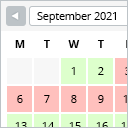
View plugin details ↗This booking calendar shows when something is booked or available. Use it to show when your holiday home is available for rent, for example.
★ 4.8/5 (227)10,000+ active installations
- Version
- 2.0.16
- WordPress
- 4.7+
- PHP
- 5.6+
- Updated
- 29 Jun 2026
View plugin details ↗Display WordPress posts in beautiful grid, list, slider, and filter layouts. Works with Gutenberg, Elementor, Divi, and Shortcodes.
★ 4.8/5 (265)100,000+ active installations
- Version
- 7.9.11
- WordPress
- 4.5+
- PHP
- 7.4+
- Updated
- 11 Nov 2026
View plugin details ↗Discover the easy way to add extra tabs to your WooCommerce product pages.
★ 4.7/5 (69)10,000+ active installations
- Version
- 2.1.16
- WordPress
- 6.1+
- PHP
- 7.4+
- Updated
- 20 Oct 2026
View plugin details ↗Boost WooCommerce sales with the Rearrange Products for WooCommerce plugin. Easily reorder products with a simple drag-and-drop tool!
★ 4.6/5 (58)20,000+ active installations
- Version
- 6.1.0
- WordPress
- 6.6+
- PHP
- 7.4.0+
- Updated
- 29 Oct 2026
View plugin details ↗A simple but flexible plugin to allow the use of menus in posts and pages.
★ 5.0/5 (8)2,000+ active installations
- Version
- 1.5.1
- WordPress
- 6.4+
- PHP
- 7.4+
- Updated
- 12 Nov 2026
View plugin details ↗