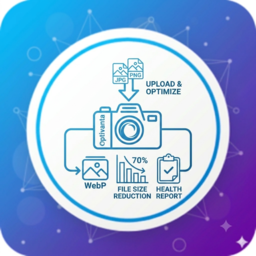
Local WebP optimizer for WordPress. Free converts images to WebP; Pro adds AVIF and site-wide image tools.
★ 5.0/5 (1)0+ active installations
- Version
- 1.0.4
- WordPress
- 5.8+
- PHP
- 7.4+
- Updated
- 18 Nov 2026
View plugin details ↗
By LiteSpeed Technologies
All-in-one unbeatable acceleration & PageSpeed improvement: caching, image/CSS/JS optimization...
★ 4.8/5 (2,784)7,000,000+ active installations
- Version
- 7.9.3
- WordPress
- 6.0+
- PHP
- 7.4+
- Updated
- 3 Nov 2026
View plugin details ↗100% free local diagnostics and guided optimization for oversized WordPress media.
0+ active installations
- Version
- 0.3.67
- WordPress
- 6.9+
- PHP
- 7.4+
- Updated
- 19 Oct 2026
View plugin details ↗Verify a site before launch: visibility status, a pre-delivery checklist, stray domain URLs and PHP error logs, all in one admin screen.
10+ active installations
- Version
- 1.0.3
- WordPress
- 6.0+
- PHP
- 7.4+
- Updated
- 2 Oct 2026
View plugin details ↗Modular WordPress toolkit for performance, defensive security, database hygiene, SEO diagnostics, error log analysis, and executive reporting.
★ 5.0/5 (1)0+ active installations
- Version
- 1.1.2
- WordPress
- 6.7+
- PHP
- 7.2+
- Updated
- 14 Nov 2026
View plugin details ↗Cloud-to-CMS image synchronization for WordPress & Shopify. Connect Lightroom, Canva, Figma, Dropbox, Shutterstock or generate with AI models — up …
30+ active installations
- Version
- 2.1.8
- WordPress
- 5.8+
- PHP
- 7.4+
- Updated
- 21 May 2026
View plugin details ↗Optimize and analyze your WordPress images with local compression, WebP conversion, image health reports, optimization statistics, and no external API …
0+ active installations
- Version
- 1.2.0
- WordPress
- 5.8+
- PHP
- 7.4+
- Updated
- 14 Aug 2026
View plugin details ↗Export and import users with their custom profile fields — CSV, Excel, JSON or XML — with reusable export templates and a downloadable history.
10+ active installations
- Version
- 1.0.0
- WordPress
- 6.2+
- PHP
- 7.4+
- Updated
- 14 Oct 2026
View plugin details ↗Calculate shipping rates based on Weight, Dimensional Weight, Shipping Classes, and Estimated Delivery Times for WooCommerce.
20+ active installations
- Version
- 2.0.1
- WordPress
- 5.0+
- PHP
- 7.0+
- Updated
- 28 Sep 2026
View plugin details ↗Let clients edit Elementor content without giving them the full Elementor builder.
★ 5.0/5 (1)0+ active installations
- Version
- 1.0.0
- WordPress
- 6.8+
- PHP
- 7.4+
- Updated
- 29 Sep 2026
View plugin details ↗WordPress backup, restore, migration, staging & remote storage tools built for reliable protection on real hosting environments.
60+ active installations
- Version
- 2.2.8
- WordPress
- 5.8+
- PHP
- 8.1+
- Updated
- 8 Sep 2026
View plugin details ↗See what blocks your site in Google and AI answers: AI crawler access, llms.txt, schema, canonicals, broken links. Read-only, beside your SEO plugin.
10+ active installations
- Version
- 4.0.18
- WordPress
- 6.2+
- PHP
- 7.4+
- Updated
- 29 Sep 2026
View plugin details ↗