PayPal Payment Buttons
By PayPal
Accept payments with PayPal — create branded Buy Now buttons directly in the WordPress block editor.
★ 5.0/5 (3)500+ active installations
- Version
- 0.5.0
- WordPress
- 7.0+
- PHP
- 7.4+
- Updated
- 14 Oct 2026
WORDPRESS RESOURCES
Explore public plugin information from the official WordPress.org directory. Compare what a plugin does, its requirements and update history before adding it to your website.
Explore WordPress hosting →4,690 matching plugins reported by WordPress.org · Page 8 of 50
Source: WordPress.org
Data refreshed 21 Nov 2026 15:55 UTC
By PayPal
Accept payments with PayPal — create branded Buy Now buttons directly in the WordPress block editor.
By Grega Rednak
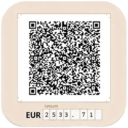
Generates UPN payment forms (Slovenian) with QR codes and sends them to the customer via email.
Donorbox is a powerful and secure donation management plugin for WordPress. We are the only donation plugin for WordPress that offers a fast feature-f …
اتصال گرویتی فرم به درگاه پرداخت زیبال برای دریافت پرداخت آنلاین از طریق فرمها.
AI-powered form builder that’s built for performance, simplicity, and feels like a part of WordPress, not a separate platform.

By sykologicist
Accept Easypaisa, JazzCash, SadaPay, NayaPay & Bank Transfer on WooCommerce in Pakistan with payment proof upload. No merchant account needed.

Registration forms, a frontend login form, user profiles and a member directory for WordPress. Add Stripe payments and content restriction.

By ZealousWeb
Track Geolocation Of Users Using Contact Form 7 allows you to get geolocation information with their form submission.
Accept payments, subscriptions, and donations on WordPress with Stripe, PayPal, and more — invoices included, no store or cart required.

By ZealousWeb
Integrate PayPal Submit button in Contact Form 7 to Enjoy Quick Online Payments.

By Noor Alam
Easily accept payment in WordPress by adding a PayPal button to your website.

By Dew Technolab
Accept UPI payments in WooCommerce with a QR code. Customers pay with Google Pay, PhonePe, Paytm, BHIM or any UPI app. No gateway fees.
CHOOSE WHAT YOUR WEBSITE NEEDS
Start with the task you need to solve. Compare features, WordPress and PHP requirements, update history and the author’s documentation. Test changes on a private copy and avoid adding several plugins for the same job.
This independent directory displays plugin information on WebFulHost and links to the official source. Packages are not mirrored or installed here. A plugin can include paid extensions or services with separate terms from its author.