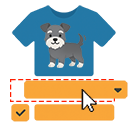
Turn dropdowns into color, image, and button swatches for WooCommerce Variable Products. No coding needed.
★ 4.8/5 (926)300,000+ active installations
- Version
- 2.6.2
- WordPress
- 6.8+
- PHP
- 7.4+
- Updated
- 28 Oct 2026
View plugin details ↗Supercharge your sales with WooCommerce Wishlist - a powerful tool that empowers customers to create wishlists and enhances their shopping experience.
★ 3.8/5 (10)500+ active installations
- Version
- 2.0.8
- WordPress
- 5.0+
- PHP
- 7.4+
- Updated
- 15 Oct 2026
View plugin details ↗A free plugin to add store locations and stores map in your WordPress site.
★ 5.0/5 (1)400+ active installations
- Version
- 1.2.4
- WordPress
- 5.2+
- PHP
- 7.2+
- Updated
- 20 Nov 2026
View plugin details ↗Osom Modal Login lets you easily create a modal box (pop-up) displaying the WordPress login form. In block themes, Osom Modal Login uses the native Wo …
★ 5.0/5 (15)400+ active installations
- Version
- 1.5.2
- WordPress
- 5.0+
- PHP
- 5.6+
- Updated
- 14 Sep 2026
View plugin details ↗Grow your sales and email list by offering your visitors a chance to win a prize through spinning the wheel of fortune.
★ 4.9/5 (81)1,000+ active installations
- Version
- 1.5.3
- WordPress
- 4.1+
- PHP
- 7.1+
- Updated
- 15 Nov 2026
View plugin details ↗Collect customer's emails by spinning the lucky wheel game to get discount coupons.
★ 3.9/5 (8)400+ active installations
- Version
- 1.1.4
- WordPress
- 5.0+
- PHP
- 7.4+
- Updated
- 14 Nov 2026
View plugin details ↗The most customizable extra product options builder for WooCommerce. You will love how many fields and features the free version has.
★ 4.8/5 (94)1,000+ active installations
- Version
- 1.2.179
- WordPress
- 3.3+
- Updated
- 15 Oct 2026
View plugin details ↗Upsell Funnel Builder lets you create WooCommerce Upsells, Order Bumps, One Click upsell, Cross-Sells, Frequently Bought, and Popups.
★ 4.7/5 (116)2,000+ active installations
- Version
- 3.1.7
- WordPress
- 6.7.0+
- PHP
- 7.4+
- Updated
- 30 Oct 2026
View plugin details ↗Get leads with a floating contact form tab, chat & social buttons like Facebook Messenger, WhatsApp, Viber, Telegram, Twitter, Instagram & more 🎉
★ 4.9/5 (542)40,000+ active installations
- Version
- 2.4.2
- WordPress
- 4.7+
- Updated
- 18 Nov 2026
View plugin details ↗Wikipedia Preview lets you show a popup card with a short summary from Wikipedia when a reader clicks or hovers over a link.
★ 4.8/5 (37)1,000+ active installations
- Version
- 1.17.1
- WordPress
- 6.1+
- PHP
- 5.6.39+
- Updated
- 13 Oct 2026
View plugin details ↗DJ-Accessibility is a set of tools to help people with disabilities navigate the site.
★ 5.0/5 (3)3,000+ active installations
- Version
- 1.15
- WordPress
- 5.5+
- PHP
- 5.6+
- Updated
- 30 Dec 2025
View plugin details ↗With Stancer, develop business online in a secure way. No commitment, no subscription, no hidden costs.
★ 3.0/5 (1)400+ active installations
- Version
- 1.4.4
- WordPress
- 6.5.0+
- PHP
- 8.1+
- Updated
- 25 Jun 2026
View plugin details ↗