

Records every WooCommerce price change, shows a price history chart, and displays the lowest price from the last 30 days.
★ 5.0/5 (9)800+ active installations
- Version
- 2.8.0
- WordPress
- 6.4+
- PHP
- 7.4+
- Updated
- 19 Nov 2026
WORDPRESS RESOURCES
Explore public plugin information from the official WordPress.org directory. Compare what a plugin does, its requirements and update history before adding it to your website.
Explore WordPress hosting →10,000 matching plugins reported by WordPress.org · Page 8 of 50
Source: WordPress.org
Data refreshed 25 Nov 2026 21:30 UTC
Records every WooCommerce price change, shows a price history chart, and displays the lowest price from the last 30 days.

By Chouby
Go multilingual in a simple and efficient way. Keep writing posts and taxonomy terms as usual while defining their languages all at once.

Make email delivery easy for WordPress. Connect with SMTP, Gmail, Brevo, SendGrid, Amazon SES + more, with powerful WordPress SMTP Email plugin.

By futurenext
Let your buyers customize and view their personalized product before purchasing. Get happy customers buying from you and coming back for more.

By PI Web Solution
This plugin allows you to show the shipping methods available on the product page for WooCommerce, so customers can see if shipping is available to th …

By RadiusTheme
Variation Images Gallery for WooCommerce plugin allows to add UNLIMITED additional images for each variation of product.
Create eye-catching product badges and labels for your WooCommerce store in seconds. 100+ built-in product badges. Fully customizable.

By BeRocket
With Product Tabs Manager for WooCommerce You can create any tabs for products that you want

By ShapedPlugin LLC
Display product categories in responsive sliders or grids to showcase them effectively on your WooCommerce store and improve shoppers' navigation.
Create a staging WordPress site from production (live site). Ideal for testing updates, version change or re-write. Sync back only the changes.

By WPVibes
Edit any WooCommerce product from your frontend — price, stock, variations, and more — without ever opening wp-admin.
By Pektsekye
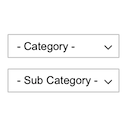
Displays product categories as dependent drop-down selects.
CHOOSE WHAT YOUR WEBSITE NEEDS
Start with the task you need to solve. Compare features, WordPress and PHP requirements, update history and the author’s documentation. Test changes on a private copy and avoid adding several plugins for the same job.
This independent directory displays plugin information on WebFulHost and links to the official source. Packages are not mirrored or installed here. A plugin can include paid extensions or services with separate terms from its author.

