

Share buttons and pop up share icons for social media sharing
★ 4.8/5 (5,333)100,000+ active installations
- Version
- 3.0.2
- WordPress
- 3.5+
- Updated
- 18 Sep 2026
WORDPRESS RESOURCES
Explore public plugin information from the official WordPress.org directory. Compare what a plugin does, its requirements and update history before adding it to your website.
Explore WordPress hosting →731 matching plugins reported by WordPress.org · Page 8 of 50
Source: WordPress.org
Data refreshed 20 Nov 2026 00:58 UTC
Share buttons and pop up share icons for social media sharing

By Fernando Tellado
Page cache, browser cache, defer JS, critical CSS, lazy load and WordPress cleanup. Speed up your site and disable the bloat you do not need.
By Jelle Roorda
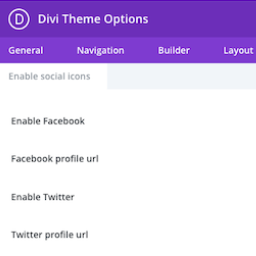
This plugin adds the ability to add more social icons to your website when using the Divi theme.

By Matteo Enna
Disable all RSS/Atom feeds on your site. Lightweight, fast, and ideal for SEO and privacy. No configuration required.

By nokko
Aggregate articles from any RSS feed and display them in 5 beautiful layouts with manual moderation, smart deduplication, keyword filtering and full d …
Social sharing plugin adding social buttons.

By Curator.io
Aggregate and embed your social media posts on your site (Facebook, Twitter, Instagram, Pinterest and many more) as a beautiful social media feed.

By Abhishek Deshpande
Disable unused WordPress features and remove bloat. 120 switches for performance, security and WooCommerce — pure PHP, no .htaccess, no upsell.

By Looks Awesome
Social feed plugin: show Instagram, Facebook and X (Twitter) feeds in one responsive social media wall, grid or widget.

By gm_alex
With the "User Access Manager"-plugin you can manage the access to your posts, pages and files.

By Dmytro Shteflyuk
Syntax highlighting for code snippets in posts, comments, and RSS, with inline code, themes, and line numbers.

By Quentin Le Duff (--Q--)
Clean up unused WordPress features, close security gaps, and configure cache integrations from a single settings page.
CHOOSE WHAT YOUR WEBSITE NEEDS
Start with the task you need to solve. Compare features, WordPress and PHP requirements, update history and the author’s documentation. Test changes on a private copy and avoid adding several plugins for the same job.
This independent directory displays plugin information on WebFulHost and links to the official source. Packages are not mirrored or installed here. A plugin can include paid extensions or services with separate terms from its author.
