Replace 50+ WordPress Plugins: Free SEO, Theme Builder, Code Snippets, Image Optimizer (WebP/AVIF), SMTP Email, Security, Performance & More
★ 4.7/5 (13)10,000+ active installations
- Version
- 4.9.1
- WordPress
- 5.9+
- PHP
- 7.4+
- Updated
- 18 Nov 2026
WORDPRESS RESOURCES
Explore public plugin information from the official WordPress.org directory. Compare what a plugin does, its requirements and update history before adding it to your website.
Explore WordPress hosting →906 matching plugins reported by WordPress.org · Page 8 of 50
Source: WordPress.org
Data refreshed 22 Nov 2026 01:22 UTC
Replace 50+ WordPress Plugins: Free SEO, Theme Builder, Code Snippets, Image Optimizer (WebP/AVIF), SMTP Email, Security, Performance & More

By Tribe Interactive
A high-performance WooCommerce side cart, mini cart, and free shipping bar that boosts AOV with in-cart upsells and save for later.
Sky Addons is a powerful Elementor addon with a GSAP animation builder, 160+ widgets, 167+ templates, 2,000+ blocks and a complete Theme Builder.
Advanced Post Block lets you add dynamic post grids, lists, sliders, and tickers. Filter content by category, tag, author, or custom post type.

By WCBoost
Enhance your WooCommerce store with WCBoost - Products Compare, enabling customers to easily compare products and make informed decisions.
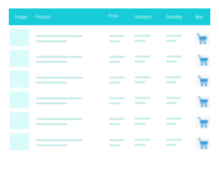
A truly lightweight, EASY to use and super FAST WooCommerce product table solution to add multiple products to cart at once.

By Nilesh Pipaliya
Filter posts, then run powerful bulk actions from the list screen — with batch processing, operation history, and undo.

By Alian Schiavoncini
Add sticky buttons for easy contact and social sharing on your site. Supports email, phone, WhatsApp, Skype, Facebook, Instagram, and more.
AI Events Calendar plugin for creating free or paid events. Supports Event Types, Bookings, Tickets, Venues, Performers, AI abilities, and a lot more.

By grooni
Groovy Menu is a Free responsive Mega Menu plugin that will allow you easily to add an awesome menu on your site and improve website navigation.

By Awais Altaf
Show your logo anywhere: theme header, login screen, admin bar, and emails. Retina, dark mode, mobile, sticky, and per-page logos.

By JetixWP Plugins
Really Simple Featured Video lets you add product video & featured video to WooCommerce Products & Posts, Pages, CPTs (with featured images) a …
CHOOSE WHAT YOUR WEBSITE NEEDS
Start with the task you need to solve. Compare features, WordPress and PHP requirements, update history and the author’s documentation. Test changes on a private copy and avoid adding several plugins for the same job.
This independent directory displays plugin information on WebFulHost and links to the official source. Packages are not mirrored or installed here. A plugin can include paid extensions or services with separate terms from its author.