One-click database optimization with precise revision cleanup and flexible scheduling. Speeding up sites since 2011!
★ 4.7/5 (181)50,000+ active installations
- Version
- 5.3.0
- WordPress
- 2.8+
- PHP
- 5.6+
- Updated
- 21 May 2026
View plugin details ↗Remove unnecessary code, nags and bloat from WordPress core and certain plugins.
★ 5.0/5 (17)5,000+ active installations
- Version
- 1.7.0
- WordPress
- 4.2+
- PHP
- 7.2+
- Updated
- 12 Jun 2026
View plugin details ↗Safely clean up outdated post revisions and their leftover metadata — preview exactly what will be removed with a dry run before deleting.
40+ active installations
- Version
- 1.0.1
- WordPress
- 6.2+
- PHP
- 7.4+
- Updated
- 2 Oct 2026
View plugin details ↗Create and manage custom post types and custom taxonomies with an easy-to-use UI in WordPress.
★ 4.7/5 (13)10,000+ active installations
- Version
- 2.13.1
- WordPress
- 6.7+
- PHP
- 7.4+
- Updated
- 12 Nov 2026
View plugin details ↗Build a business directory or member directory on WordPress, complete with a listing manager and directory website builder. No developer needed.
★ 4.6/5 (505)10,000+ active installations
- Version
- 6.4.30
- WordPress
- 5.9+
- PHP
- 7.4+
- Updated
- 24 Nov 2026
View plugin details ↗Disable comments globally on all posts or certain post types. Delete all comments at once, by post type or comment status. Manage links in comments.
★ 5.0/5 (41)9,000+ active installations
- Version
- 1.3.5
- WordPress
- 5.6+
- PHP
- 7.4+
- Updated
- 23 Nov 2026
View plugin details ↗Hide browser tooltips on hover while preserving accessibility for screen readers.
★ 5.0/5 (10)4,000+ active installations
- Version
- 1.0.0
- WordPress
- 4.6+
- PHP
- 5.6+
- Updated
- 1 Oct 2026
View plugin details ↗WordPress optimization plugin and all-in-one toolkit for performance, security, SEO, content, media, users, and site management.
★ 5.0/5 (2)100+ active installations
- Version
- 3.2.0
- WordPress
- 5.9+
- PHP
- 8.1.0+
- Updated
- 13 Nov 2026
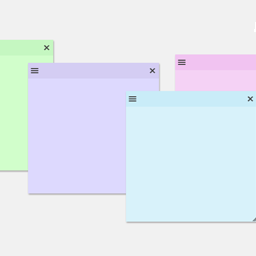
View plugin details ↗Create sticky notes in your WP admin for reminders and to-dos. Restrict notes by user roles and disable them on specific pages.
★ 5.0/5 (7)1,000+ active installations
- Version
- 1.2.7
- WordPress
- 3.6.0+
- PHP
- 5.6+
- Updated
- 4 Sep 2026
View plugin details ↗Professional database analyzer. Detect hidden memory hogs, clean the wp_options table, and boost site performance safely.
40+ active installations
- Version
- 1.0.1
- WordPress
- 6.0+
- PHP
- 7.4+
- Updated
- 23 May 2026
View plugin details ↗This plugin enables you to edit and display Content Blocks in a sidebar widget or using a shortcode.
★ 4.9/5 (80)10,000+ active installations
- Version
- 3.4.4
- WordPress
- 4.6+
- Updated
- 21 Sep 2026
View plugin details ↗Demi is an all-in-one WordPress toolkit for demo imports, backups, restores, migrations, search & replace, and site resets.
300+ active installations
- Version
- 0.1.3
- WordPress
- 6.5+
- PHP
- 8.0+
- Updated
- 11 Sep 2026
View plugin details ↗