Checkout Field Editor for WooCommerce – The best WooCommerce checkout manager plugin to manage checkout fields in both Classic & Block Checkout.
★ 4.9/5 (1,056)400,000+ active installations
- Version
- 2.2.1
- WordPress
- 5.0+
- PHP
- 5.6+
- Updated
- 30 Oct 2026
WORDPRESS RESOURCES
Explore public plugin information from the official WordPress.org directory. Compare what a plugin does, its requirements and update history before adding it to your website.
Explore WordPress hosting →1,951 matching plugins reported by WordPress.org · Page 8 of 50
Source: WordPress.org
Data refreshed 19 Nov 2026 15:36 UTC
Checkout Field Editor for WooCommerce – The best WooCommerce checkout manager plugin to manage checkout fields in both Classic & Block Checkout.

The easiest URL shortener, short links manager, and link tracking plugin. Fast and optimised for better redirects, affiliate links and click tracking.

By Ninja Team
Break your looooooong form into user-friendly steps
A prompt, a brief, a Figma file or an AI build becomes native editable WordPress you own. Elementor, Gutenberg, Bricks. No rebuild, no lock-in.
Shorten, cloak, redirect & track every link in WordPress. Branded short URLs, click analytics, affiliate links & MCP access for AI assistants.

By Klarna
Grow your business for increased sales and enhanced shopping experiences at no extra costs.
Real-time private messaging, group chat, chat rooms, video and audio calls, AI chat bots and mobile apps for WordPress, BuddyPress and BuddyBoss.

By Teydea Studio
Customize the WordPress login screen with your own colors, logo, backgrounds, and form styles.
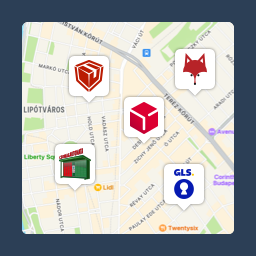
Pickup point map and shipping labels for WooCommerce, for home delivery too. MPL, Foxpost, GLS, DPD, Express One, Packeta and more.

By Chad Butler
The original WordPress membership plugin with content restriction, user login, custom registration fields, user profiles, and more.
Add a newsletter signup popup to WordPress with a native Gutenberg block, GDPR consent checkbox, and free Mailchimp sync — no coding, set up in minute …

By David Rosendo
Every swatch option free: color, image, text and radio. Plus a whole WooCommerce gallery per color, set once and reused by every size.
CHOOSE WHAT YOUR WEBSITE NEEDS
Start with the task you need to solve. Compare features, WordPress and PHP requirements, update history and the author’s documentation. Test changes on a private copy and avoid adding several plugins for the same job.
This independent directory displays plugin information on WebFulHost and links to the official source. Packages are not mirrored or installed here. A plugin can include paid extensions or services with separate terms from its author.