

Optimize image sizes, regenerate thumbnails, enable retina, convert to WebP/AVIF, or use cloud optimization. An essential image toolkit.
★ 4.8/5 (280)60,000+ active installations
- Version
- 7.2.6
- WordPress
- 6.0+
- PHP
- 8.1+
- Updated
- 10 Nov 2026
WORDPRESS RESOURCES
Explore public plugin information from the official WordPress.org directory. Compare what a plugin does, its requirements and update history before adding it to your website.
Explore WordPress hosting →6,731 matching plugins reported by WordPress.org · Page 8 of 50
Source: WordPress.org
Data refreshed 21 Nov 2026 01:43 UTC
Optimize image sizes, regenerate thumbnails, enable retina, convert to WebP/AVIF, or use cloud optimization. An essential image toolkit.
AI alt text generator: fix missing image alt text in one click or in bulk, for better image SEO and accessibility. 25 free generations, no API key.

By RadiusTheme
WordPress team plugin to showcase team members with grid, slider, and filterable layouts. Fully compatible with Elementor & Gutenberg.

By ROBOTSTXT.es
Get WordPress vulnerability alerts from the WPVulnerability Database API.
By Rodrigo Bogdanowicz
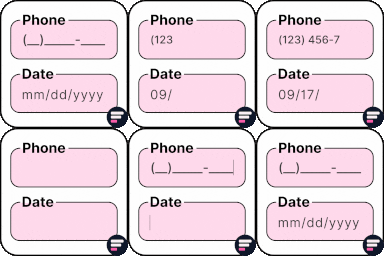
Apply input masks in Elementor form widget fields - phone, date, time, credit card, CPF, CNPJ, CEP & more for valid and error-free entries.

By John Havlik
Adds breadcrumb navigation showing the visitor's path to their current location.

By f1logic
Publish posts automatically to Facebook page.

By fontawesome
The official way to use Font Awesome Free or Pro icons on your WordPress site, brought to you by the Font Awesome team.
Most popular WooCommerce product feed plugin supporting Google shopping feed, meta/facebook feed, bing product feed & more.
Highlight your company’s history, milestones, and key events directly inside Elementor using stunning vertical and horizontal timelines.

By WPXtension
Adds lots of advanced options to control how you display the price for your WooCommerce variable products.

By cinquinandy
Automatically generate SEO-optimized alt text, titles, and captions for your images using AI technology.
CHOOSE WHAT YOUR WEBSITE NEEDS
Start with the task you need to solve. Compare features, WordPress and PHP requirements, update history and the author’s documentation. Test changes on a private copy and avoid adding several plugins for the same job.
This independent directory displays plugin information on WebFulHost and links to the official source. Packages are not mirrored or installed here. A plugin can include paid extensions or services with separate terms from its author.


