WP Accessibility
By Joe Dolson
WP Accessibility fixes common accessibility issues in your WordPress site.
★ 4.8/5 (68)60,000+ active installations
- Version
- 2.4.5
- WordPress
- 6.4+
- PHP
- 7.4+
- Updated
- 25 Oct 2026
WORDPRESS RESOURCES
Explore public plugin information from the official WordPress.org directory. Compare what a plugin does, its requirements and update history before adding it to your website.
Explore WordPress hosting →10,000 matching plugins reported by WordPress.org · Page 8 of 50
Source: WordPress.org
Data refreshed 24 Nov 2026 18:24 UTC
By Joe Dolson
WP Accessibility fixes common accessibility issues in your WordPress site.

Every store loses sales to cart abandonment. But with Cart Abandonment Recovery for WooCommerce, you can win them back—automatically.
WhatsApp chat, Facebook Messenger, Telegram, TikTok, Instagram, Email, Line, WeChat Phone call, SMS, 20+ live chat icons & WhatsApp chat pop up 💬
Quick and Easy way to search all URLS, Content and replace them with new links and content in WordPress website.

By hookandhook
Nifty Coming Soon & Maintenance Page creates awesome Coming Soon & Maintenance Pages.

By aminshah74
Adds a pulsating WhatsApp or Telegram chat button to your site. Pre-filled message, Google Tag and Yandex.Metrica goals.
Connect ChatGPT, Claude, or another AI agent to your site. Plus backup, malware scan, firewall, stats, CDN, and SEO tools in one plugin.

The best WordPress contact form plugin. Drag & Drop form builder to create beautiful contact forms, payment forms, & other custom forms.
Alt Text Generator powered by AI. Auto-generate & bulk update image alt texts to boost SEO, accessibility & save hours of work.

Set minimum and maximum order quantities or amounts for individual products, categories, or globally, with quantity-step control for WooCommerce store …
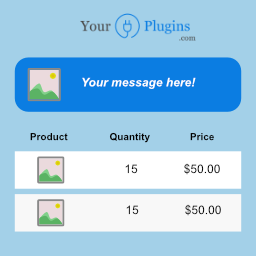
Show cart messages or notices in your WooCommerce cart by using conditional rules! Made with love by yourplugins.com

By Qode
Qi Addons for Elementor is a comprehensive library of 60+ custom, flexible & easily styled Elementor widgets developed by Qode Interactive.
CHOOSE WHAT YOUR WEBSITE NEEDS
Start with the task you need to solve. Compare features, WordPress and PHP requirements, update history and the author’s documentation. Test changes on a private copy and avoid adding several plugins for the same job.
This independent directory displays plugin information on WebFulHost and links to the official source. Packages are not mirrored or installed here. A plugin can include paid extensions or services with separate terms from its author.