Simply and easy-to-use the customize for Admin and Frontend. A lot of custom filters and actions, and included the developer tools.
★ 4.3/5 (16)8,000+ active installations
- Version
- 1.28.0
- WordPress
- 4.7+
- PHP
- 5.6+
- Updated
- 23 Oct 2026
View plugin details ↗Loginizer is a WordPress security plugin which helps you fight against bruteforce attacks.
★ 4.8/5 (1,034)1,000,000+ active installations
- Version
- 2.1.4
- WordPress
- 3.0+
- PHP
- 5.5+
- Updated
- 19 Nov 2026
View plugin details ↗Free. Hide admin notices, remove dashboard widgets from view and hide selected admin menu and toolbar items without changing permissions.
★ 5.0/5 (1)300+ active installations
- Version
- 1.0.12
- WordPress
- 6.0+
- PHP
- 7.4+
- Updated
- 9 Nov 2026
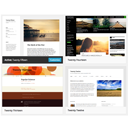
View plugin details ↗Select different Themes for one or more WordPress Pages, Posts or other non-Admin pages. Or Site Home.
★ 4.7/5 (50)10,000+ active installations
- Version
- 7.1.1
- WordPress
- 3.4+
- Updated
- 6 Mar 2025
View plugin details ↗This awesome plugin allows you to easily display frontend forms on your site so your clients can easily edit content by themselves from the frontend.
★ 4.5/5 (160)8,000+ active installations
- Version
- 3.30.4
- WordPress
- 6.5+
- PHP
- 5.6.0+
- Updated
- 15 Nov 2026
View plugin details ↗eCommerce Companion plugin only for Seller Themes. Its fully WooCommerce Compatible Themes
★ 5.0/5 (1)5,000+ active installations
- Version
- 8.1.75
- WordPress
- 4.6+
- PHP
- 7.4+
- Updated
- 4 Nov 2026
View plugin details ↗Filter posts or custom post types in the admin area by custom taxonomies.
★ 4.5/5 (14)5,000+ active installations
- Version
- 1.0.5
- WordPress
- 4.3+
- Updated
- 6 Oct 2025
View plugin details ↗All-in-one admin toolkit: custom login URL, limit login attempts, duplicate posts, hide admin bar, disable comments, page cache and security headers.
★ 3.3/5 (3)200+ active installations
- Version
- 2.4.2
- WordPress
- 5.9+
- PHP
- 7.4+
- Updated
- 21 Oct 2026
View plugin details ↗Protect your website by concealing vulnerable WordPress traces, plugins, themes, login/admin url. 2FA, Captcha, Firewall, Security Headers etc.
★ 4.3/5 (275)50,000+ active installations
- Version
- 2.9.5.1
- WordPress
- 4.0+
- PHP
- 5.4+
- Updated
- 13 Nov 2026
View plugin details ↗When using the Customizer is not enough - Create a child theme from your installed themes and customize styles, templates, functions and more.
★ 4.7/5 (280)300,000+ active installations
- Version
- 2.6.7
- WordPress
- 4.0+
- PHP
- 7.4+
- Updated
- 10 Jun 2025
View plugin details ↗Delete posts, pages, comments, users, taxonomy terms and meta fields in bulk with different powerful filters and conditions.
★ 4.6/5 (131)90,000+ active installations
- Version
- 1.4.5
- WordPress
- 4.9+
- PHP
- 5.3+
- Updated
- 16 Nov 2026
View plugin details ↗A utility plugin to make the WordPress admin screen more comfortable and easier to use. You can hide unnecessary items and add useful features.
★ 5.0/5 (1)70+ active installations
- Version
- 3.8.4
- WordPress
- 5.9+
- PHP
- 7.4+
- Updated
- 7 Sep 2026
View plugin details ↗