Safely clean, defragment, and optimize your WordPress database with health audits, orphan detection, cleanup previews, and MySQL table tools.
0+ active installations
- Version
- 1.0.0
- WordPress
- 5.8+
- PHP
- 7.4+
- Updated
- 7 Oct 2026
View plugin details ↗Speeds up WordPress by caching database queries and fragments for anonymous visitors using Redis or MySQL, without storing cache data in wp_options.
0+ active installations
- Version
- 1.0.0
- WordPress
- 6.0+
- PHP
- 8.0+
- Updated
- 13 Jun 2026
View plugin details ↗Core web vitals booster for Nestify.io. This plugin will optimize pagespeed of your sites hosted on Nestify.
★ 3.3/5 (7)70+ active installations
- Version
- 1.1.8
- WordPress
- 4.9+
- PHP
- 7.4+
- Updated
- 9 May 2024
View plugin details ↗WordPress SEO plugin: Google Search Console, on-page & technical SEO audits, XML sitemap, schema, internal linking, and Core Web Vitals.
0+ active installations
- Version
- 1.0.1
- WordPress
- 6.0+
- PHP
- 8.0+
- Updated
- 25 Aug 2026
View plugin details ↗Smart website guardian for WordPress: health scores, uptime, images, performance, database and WooCommerce checks.
0+ active installations
- Version
- 2.9.11
- WordPress
- 6.8+
- PHP
- 8.1+
- Updated
- 17 Nov 2026
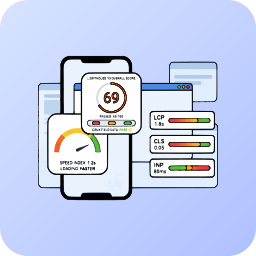
View plugin details ↗Monitor and improve your Core Web Vitals (LCP, CLS, INP) using professional Lighthouse 10 analysis, completely managed via the Mega Plugin Hub.
0+ active installations
- Version
- 2.1.0
- WordPress
- 6.0+
- PHP
- 7.4+
- Updated
- 14 Sep 2026
View plugin details ↗Server-side analytics. Sees 100% of traffic (including bots and attackers), real Web Vitals, UTM attribution, rage clicks. Privacy-first.
0+ active installations
- Version
- 1.3.0
- WordPress
- 5.5+
- PHP
- 7.4+
- Updated
- 27 May 2026
View plugin details ↗Connect to any external REST API or JSON endpoint. Fetch, display, and cache dynamic data using shortcodes or PHP repeaters effortlessly.
0+ active installations
- Version
- 1.0.0
- WordPress
- 5.0+
- PHP
- 7.2+
- Updated
- 25 Apr 2026
View plugin details ↗Core Web Vitals & PageSpeed monitor for WordPress. Track LCP, INP, CLS & your Lighthouse score in wp-admin — via Google PageSpeed Insights.
0+ active installations
- Version
- 1.1.0
- WordPress
- 5.8+
- PHP
- 7.4+
- Updated
- 8 Jun 2026
View plugin details ↗Cookieless and GDPR compliant website analytics for WordPress. Paste your StatJolt code once and the plugin places it for you.
0+ active installations
- Version
- 1.0.2
- WordPress
- 4.7+
- PHP
- 7.0+
- Updated
- 29 Oct 2026
View plugin details ↗Enterprise WordPress Infrastructure Platform. Static delivery, Ghost Protocol fingerprint cloaking, and intelligent automation in one plugin.
0+ active installations
- Version
- 1.0.1
- WordPress
- 6.2+
- PHP
- 8.0+
- Updated
- 18 Sep 2026
View plugin details ↗Privacy-first website analytics inside WordPress: visitors, sources, goals, WooCommerce revenue and optional AI summaries.
0+ active installations
- Version
- 2.1.6
- WordPress
- 6.0+
- PHP
- 7.4+
- Updated
- 2 Nov 2026
View plugin details ↗