

Login Lockdown & Protection
By WebFactory
Protect, lockdown & secure login form by limiting login attempts from the same IP & banning IPs.
★ 4.3/5 (61)100,000+ active installations
- Version
- 2.19
- WordPress
- 4.0+
- PHP
- 5.2+
- Updated
- 6 Oct 2026
WORDPRESS RESOURCES
Explore public plugin information from the official WordPress.org directory. Compare what a plugin does, its requirements and update history before adding it to your website.
Explore WordPress hosting →10,000 matching plugins reported by WordPress.org · Page 9 of 50
Source: WordPress.org
Data refreshed 20 Nov 2026 14:08 UTC
By WebFactory
Protect, lockdown & secure login form by limiting login attempts from the same IP & banning IPs.
Stop Losing Customers Due to Confusing Pricing - Transform confused visitors into paying customers with crystal-clear price lists that increase conver …
Protect WordPress website – allow and deny access for certain IP addresses, hostnames, etc.

By Shahjada
This File Management & Digital Store plugin will help you to control file downloads & sell digital products from your WP site.

By WooCommerce
Native integration with Google that allows merchants to easily display their products across Google’s network.

By DocCheck agency (antwerpes)
Integrate DocCheck OAuth2 login functionality into your WordPress site.
Build membership sites with tiered plans, content restriction, drag-&-drop custom registration & login form builder, and built-in payment system.
By Sharabindu Bakshi
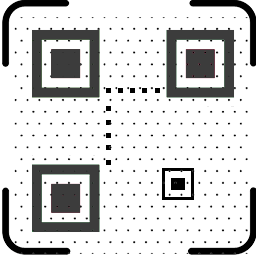
Automatically generates QR codes for your pages, posts and products. Free: up to 5 items per type. Pro: unlimited, plus custom post types.
Harden your site security with Login Security, Two-Factor Authentication (2FA), Vulnerability Scanner, Firewall, and more. Formerly iThemes Security.

1000+ news, magazine & blog starter templates, 1-click demo importer & site migration tool by AF Themes for Elementor, Gutenberg & WooCommerce.

By Information Technology
Country code selector with flags, auto-detection, phone number formatting, and interactive chat widget for WooCommerce.

By storeapps
Give developers or support staff temporary admin access to your WordPress site — no username, no password, and it expires automatically.
CHOOSE WHAT YOUR WEBSITE NEEDS
Start with the task you need to solve. Compare features, WordPress and PHP requirements, update history and the author’s documentation. Test changes on a private copy and avoid adding several plugins for the same job.
This independent directory displays plugin information on WebFulHost and links to the official source. Packages are not mirrored or installed here. A plugin can include paid extensions or services with separate terms from its author.



