Robo Gallery is a powerful image gallery and photo gallery plugin with advanced features to create responsive galleries with a beautiful lightbox
★ 4.3/5 (406)40,000+ active installations
- Version
- 5.2.6
- WordPress
- 3.3+
- Updated
- 6 Oct 2026
View plugin details ↗All-in-One Sticky Anything easily creates click to call, fixed widgets, sticky elements, sticky header, menu, sidebar, social icons & cookie consent.
★ 4.9/5 (15)1,000+ active installations
- Version
- 1.2.1
- WordPress
- 5.0+
- PHP
- 7.4+
- Updated
- 13 Oct 2026
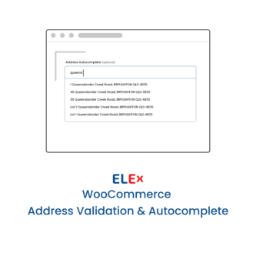
View plugin details ↗Simple and easy to use address validation & google address autocomplete plugin. Uses EasyPost, UPS, USPS, AddressFinder & Google APIs.
★ 4.2/5 (10)700+ active installations
- Version
- 1.8.8
- WordPress
- 3.0.1+
- Updated
- 19 Nov 2026
View plugin details ↗The original Elementor sticky header & sticky menu plugin. Transparent, fixed & scroll effects (blur, shrink, hide) on Elementor Free or Pro.
★ 4.5/5 (69)300,000+ active installations
- Version
- 2.2.3
- WordPress
- 6.3+
- PHP
- 7.4+
- Updated
- 18 Sep 2026
View plugin details ↗Super simple Cloudinary auto-upload implementation for WordPress.
★ 4.4/5 (14)200+ active installations
- Version
- 1.3.1
- WordPress
- 4.4+
- PHP
- 5.6+
- Updated
- 19 Sep 2025
View plugin details ↗90+ Gutenberg Blocks & AI Website Builder with 1000+ Templates. Complete Page Builder, Popup Builder, Mega Menu, Form Builder & More. No Code.
★ 4.8/5 (90)9,000+ active installations
- Version
- 5.0.11
- WordPress
- 5.6+
- PHP
- 7.4+
- Updated
- 17 Nov 2026
View plugin details ↗Automatically post and schedule your WordPress content to Facebook, X/Twitter, LinkedIn, Threads and more social networks using Hootsuite.
★ 4.1/5 (15)200+ active installations
- Version
- 3.1.8
- WordPress
- 5.0+
- PHP
- 7.4+
- Updated
- 20 Nov 2026
View plugin details ↗🌠 Shorten, brand, and track any URL on your own domain. Keep your links — and your data — where they belong. 🔗
★ 4.8/5 (1,322)200,000+ active installations
- Version
- 4.0.18
- WordPress
- 6.5+
- PHP
- 7.4+
- Updated
- 21 Oct 2026
View plugin details ↗Free Sticky Header for Elementor. Features Logo Swap, Shrink Effect, Mobile Sticky Menu, Scroll Blur, and Zero Layout Shift. No Pro Required!
★ 5.0/5 (1)600+ active installations
- Version
- 1.2.5
- WordPress
- 5.0+
- PHP
- 7.2+
- Updated
- 17 Oct 2026
View plugin details ↗Disable, hide, bulk-delete & auto-reply to comments and WooCommerce reviews — multisite-ready, with an AI Assistant PRO add-on.
★ 3.8/5 (25)100,000+ active installations
- Version
- 2.1.0
- WordPress
- 5.6+
- PHP
- 7.4+
- Updated
- 7 Nov 2026
View plugin details ↗Remove unnecessary code, nags and bloat from WordPress core and certain plugins.
★ 5.0/5 (17)5,000+ active installations
- Version
- 1.7.0
- WordPress
- 4.2+
- PHP
- 7.2+
- Updated
- 12 Jun 2026
View plugin details ↗The easiest way to customize the WooCommerce My Account page menu — drag & drop, custom pages, icons, badges, role-based visibility, and more.
★ 5.0/5 (1)80+ active installations
- Version
- 1.3.0
- WordPress
- 5.8+
- PHP
- 7.4+
- Updated
- 18 Feb 2026
View plugin details ↗