Variation Images Gallery for WooCommerce plugin allows to add UNLIMITED additional images for each variation of product.
★ 4.7/5 (39)10,000+ active installations
- Version
- 2.4.6
- WordPress
- 6.0+
- PHP
- 7.4+
- Updated
- 22 Sep 2026
View plugin details ↗All in one WordPress plugin - accessibility, tag manager, notes, floating contact buttons, back to top, cookie bar and more.
★ 4.7/5 (54)20,000+ active installations
- Version
- 4.1.2
- WordPress
- 5.3+
- PHP
- 7.1+
- Updated
- 26 Sep 2026
View plugin details ↗Automatically display a customizable notice on posts older than a set number of days.
40+ active installations
- Version
- 2.2.2
- WordPress
- 5.5+
- PHP
- 7.4+
- Updated
- 3 Feb 2026
View plugin details ↗The simplest and fastest WP Cache system
★ 4.9/5 (4,235)1,000,000+ active installations
- Version
- 1.5.5
- WordPress
- 5.7+
- Updated
- 5 Nov 2026
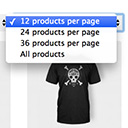
View plugin details ↗Products Per Page for WooCommerce is a easy-to-setup plugin that integrates a 'products per page' dropdown on your WooCommerce pages.
★ 4.8/5 (80)10,000+ active installations
- Version
- 1.2.10
- WordPress
- 5.0.0+
- Updated
- 31 Oct 2026
View plugin details ↗Creates post thumbnails on fly and cache the result. Auto-create of post thumbnails based on: WP post thumbnail OR first img in post content OR attach …
★ 4.7/5 (15)8,000+ active installations
- Version
- 3.5.2
- WordPress
- 4.7+
- PHP
- 7.1+
- Updated
- 16 Oct 2026
View plugin details ↗A fully customizable floating bottom navigation bar for mobile-first WordPress sites with advanced visibility controls and WebView detection.
30+ active installations
- Version
- 1.4.2
- WordPress
- 5.0+
- PHP
- 7.2+
- Updated
- 4 Oct 2026
View plugin details ↗A plugin to check the age of a visitor before view site or specified content
★ 4.6/5 (64)40,000+ active installations
- Version
- 3.8.1
- WordPress
- 6.6.0+
- PHP
- 8.3+
- Updated
- 10 Nov 2026
View plugin details ↗Code Embed provides a very easy and efficient way to embed code (JavaScript, CSS and HTML) in your posts and pages.
★ 4.4/5 (45)10,000+ active installations
- Version
- 2.6.4
- WordPress
- 4.9+
- PHP
- 7.4+
- Updated
- 21 Aug 2026
View plugin details ↗Show "Readers who viewed this page, also viewed" a.k.a. followed posts on your page. Much like Amazon.com's product pages.
★ 3.0/5 (2)300+ active installations
- Version
- 3.4.4
- WordPress
- 6.6+
- PHP
- 7.4+
- Updated
- 3 Nov 2026
View plugin details ↗Import Word (.docx) and Markdown files as WordPress posts, pages or custom post types. Images, headings and tables kept. No copy-paste.
★ 5.0/5 (4)100+ active installations
- Version
- 1.5.0
- WordPress
- 6.0+
- PHP
- 8.0+
- Updated
- 21 Nov 2026
View plugin details ↗Extension for Advanced Custom Fields plugin that allows copy/pasting layouts between pages or even sites.
★ 5.0/5 (3)1,000+ active installations
- Version
- 0.4.3
- WordPress
- 6.0+
- PHP
- 7.4+
- Updated
- 8 Nov 2026
View plugin details ↗