Get leads with a floating contact form tab, chat & social buttons like Facebook Messenger, WhatsApp, Viber, Telegram, Twitter, Instagram & more 🎉
★ 4.9/5 (542)40,000+ active installations
- Version
- 2.4.2
- WordPress
- 4.7+
- Updated
- 18 Nov 2026
WORDPRESS RESOURCES
Explore public plugin information from the official WordPress.org directory. Compare what a plugin does, its requirements and update history before adding it to your website.
Explore WordPress hosting →10,000 matching plugins reported by WordPress.org · Page 9 of 50
Source: WordPress.org
Data refreshed 20 Nov 2026 17:58 UTC
Get leads with a floating contact form tab, chat & social buttons like Facebook Messenger, WhatsApp, Viber, Telegram, Twitter, Instagram & more 🎉

By Syam Mohan
Easily lets you create a bar on top or bottom to display a notification.

By hassantafreshi
A comprehensive and free social media chat widget for WordPress with multi-network support.

By Brainstorm Force
AI form generator and WordPress form builder for contact and Stripe payment forms, with surveys and quizzes in SureForms Business.
Secure WordPress MCP server: we never see your data. Connect Claude, ChatGPT & AI agents to WordPress. 280+ tools for WooCommerce, SEO & GA4. Free.

By Unlimited Elements
Elementor all-in-one addons pack with the best widgets for Elementor, offering 100+ free widgets, templates, and tools to create stunning websites!
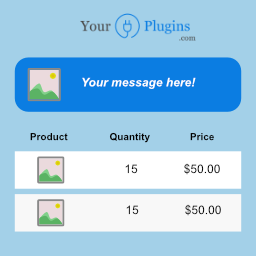
Show cart messages or notices in your WooCommerce cart by using conditional rules! Made with love by yourplugins.com

By 320up
A plugin that aligns WooCommerce "Add to cart" buttons.

By Jennifer Moss
The FTC requires that you put disclosures at the top of your post if you were compensated in any way (affiliate links, free products, or payment).

By WP Artisan
Remove Add to Cart Button for WooCommerce plugin gives you a really easy interface to hide/remove the product Add to Cart button and product price.

By colorlibplugins
Easily reorder posts, pages, custom post types, and taxonomies with intuitive drag-and-drop sorting in the WordPress admin.

By adaptatuweb
Legal withdrawal button for WooCommerce. EU Directive 2023/2673 compliant. Works for registered customers and guests. 1-click acknowledgement.
CHOOSE WHAT YOUR WEBSITE NEEDS
Start with the task you need to solve. Compare features, WordPress and PHP requirements, update history and the author’s documentation. Test changes on a private copy and avoid adding several plugins for the same job.
This independent directory displays plugin information on WebFulHost and links to the official source. Packages are not mirrored or installed here. A plugin can include paid extensions or services with separate terms from its author.