

Post and Page Builder is a standalone plugin which adds functionality to the existing TinyMCE Editor.
★ 4.7/5 (140)50,000+ active installations
- Version
- 1.27.16
- WordPress
- 4.7+
- PHP
- 7.4+
- Updated
- 26 Nov 2026
WORDPRESS RESOURCES
Explore public plugin information from the official WordPress.org directory. Compare what a plugin does, its requirements and update history before adding it to your website.
Explore WordPress hosting →9,192 matching plugins reported by WordPress.org · Page 9 of 50
Source: WordPress.org
Data refreshed 28 Nov 2026 15:09 UTC
Post and Page Builder is a standalone plugin which adds functionality to the existing TinyMCE Editor.
Organize thousands of WordPress media files in folders / categories with ease.
By Web Builder 143
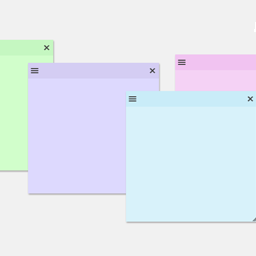
Create sticky notes in your WP admin for reminders and to-dos. Restrict notes by user roles and disable them on specific pages.

By Rock Lobster Inc.
Really Simple CAPTCHA is a CAPTCHA module intended to be called from other plugins. It is originally created for my Contact Form 7 plugin.
Multi-language supported Team Members - Team with Slide is the best plugins to display unlimited team in Carouse and Grid view.

By edo888
Translate WordPress with Google Translate multilanguage plugin using AI translation. Complete multilingual SEO solution, WooCommerce compatible.
Need a Before After Image Comparison slider? Create your before and after slider with BEAF. Addon for Elementor Before and After Slider is included.

By Softaculous
The most advanced frontend drag & drop page builder. Pagelayer is a light weight but extremely powerful Website Builder.
Audio Player for Elementor – the go-to plugin for adding MP3s, podcasts & playlists. Fully customizable, WooCommerce-ready, and mobile-friendly.

By Narinder Singh
Showcase your story or company history, events, and roadmap in an interactive timeline using the powerful Cool Timeline plugin.

By Iulia Cazan
Make your site header sticky, use your custom colors, minify and change the header size and colors on page scroll.

By CrestaProject
Allow your users and customers to contact you via WhatsApp with a single click.
CHOOSE WHAT YOUR WEBSITE NEEDS
Start with the task you need to solve. Compare features, WordPress and PHP requirements, update history and the author’s documentation. Test changes on a private copy and avoid adding several plugins for the same job.
This independent directory displays plugin information on WebFulHost and links to the official source. Packages are not mirrored or installed here. A plugin can include paid extensions or services with separate terms from its author.



