WooCommerce Product Addons Add custom fields to your WooCommerce product page. With an easy-to-use Custom Form Builder.
★ 4.9/5 (478)30,000+ active installations
- Version
- 3.1.11
- WordPress
- 5.0+
- PHP
- 7.2+
- Updated
- 19 Nov 2026
WORDPRESS RESOURCES
Explore public plugin information from the official WordPress.org directory. Compare what a plugin does, its requirements and update history before adding it to your website.
Explore WordPress hosting →936 matching plugins reported by WordPress.org · Page 9 of 50
Source: WordPress.org
Data refreshed 22 Nov 2026 15:15 UTC
WooCommerce Product Addons Add custom fields to your WooCommerce product page. With an easy-to-use Custom Form Builder.

By Binsaifullah
Before and after image comparison slider block for Gutenberg. Lightweight, accessible, responsive and touch friendly. No jQuery.

By Aasim Ghaffar
Auto refresh posts and pages on a schedule — full reloads or seamless AJAX updates, countdown timers, role exclusions and smart pausing.
Variation swatches for WooCommerce that turn dropdowns into color, image, and label swatches. Easy WooCommerce color attribute and image attribute set …

Build WordPress blog, magazine, news, archive and single-post layouts with Elementor post grid, carousel, slider and list widgets.

By ShapedPlugin LLC
Turn WooCommerce variation dropdowns into color, image, button and radio swatches on product and shop pages.
Show customer testimonials and reviews with photos, star ratings and company details in a testimonial slider or grid. No coding needed.
Product Variation Swatches For WooCommerce Products.

By Hossni Mubarak
Cool Author Box displays an responsive author box with social media links to your widget and post content area.
By Edel Hearts / Yabe
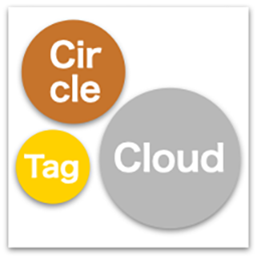
Displays taxonomy terms in a beautiful, highly packed circle (or rectangle) layout with customizable color palettes and motion effects.

By ZVENTURES
Boost SEO with AI-powered semantic internal linking. Build Silos, bulk interlink, fix orphan pages, and track rankings.

By WPClever
WPC Shoppable Images is impressively a versatile, multipurpose, and powerful plugin, which helps you increase your sales by creating shoppable images.
CHOOSE WHAT YOUR WEBSITE NEEDS
Start with the task you need to solve. Compare features, WordPress and PHP requirements, update history and the author’s documentation. Test changes on a private copy and avoid adding several plugins for the same job.
This independent directory displays plugin information on WebFulHost and links to the official source. Packages are not mirrored or installed here. A plugin can include paid extensions or services with separate terms from its author.