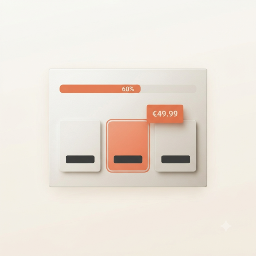
A configurable step-by-step ordering e-commerce ordering system to enhance what you sell using WooCommerce.
★ 4.2/5 (5)10+ active installations
- Version
- 1.3.10
- WordPress
- 4.7+
- Updated
- 28 Oct 2026
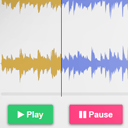
View plugin details ↗Customizable HTML5 Audio controller with waveform preview (mixed or split channels), using WordPress native audio and playlist shortcode.
★ 5.0/5 (11)400+ active installations
- Version
- 2.8.4
- WordPress
- 4.0+
- Updated
- 4 Feb 2026
View plugin details ↗Increase your sales by providing products bulk discounts.
★ 5.0/5 (5)20+ active installations
- Version
- 2.4.7
- WordPress
- 4.5+
- PHP
- 5.4+
- Updated
- 11 Dec 2024
View plugin details ↗Engage visitors with animated, character-driven questionnaires that collect feedback through friendly Lottie characters.
0+ active installations
- Version
- 0.22.0
- WordPress
- 5.2+
- PHP
- 7.2+
- Updated
- 5 Oct 2026
View plugin details ↗Add personalization fields to WooCommerce products: text, image upload, color and box swatches, with per-value pricing and combinations.
0+ active installations
- Version
- 1.1.1
- WordPress
- 6.0+
- PHP
- 7.4+
- Updated
- 19 Oct 2026
View plugin details ↗Generic step-by-step product configurator with WooCommerce integration.
0+ active installations
- Version
- 1.7.1
- WordPress
- 6.0+
- PHP
- 8.1+
- Updated
- 11 Oct 2026
View plugin details ↗Free German Mediathek first, then flatrate – live offers, blocks, editorial picks.
0+ active installations
- Version
- 1.3.41
- WordPress
- 5.8+
- PHP
- 7.4+
- Updated
- 23 Sep 2026
View plugin details ↗SyncBooking turns your WordPress site into a direct-booking website: a floating booking bar, a self-contained booking page with real-time availability …
0+ active installations
- Version
- 1.72.88
- WordPress
- 5.0+
- PHP
- 7.2+
- Updated
- 18 Nov 2026
View plugin details ↗Help WooCommerce stores convert traffic into sales, upsell & cross-sell, recover abandoned carts with 10+ powerful marketing & sales features.
★ 4.8/5 (997)500+ active installations
- Version
- 3.8.16
- WordPress
- 4.4+
- PHP
- 5.6+
- Updated
- 19 Dec 2019
View plugin details ↗Avoid URL redirection errors by managing old and alternative slugs to improve SEO.
★ 5.0/5 (1)10+ active installations
- Version
- 1.4
- WordPress
- 4.5+
- PHP
- 5.4+
- Updated
- 27 Dec 2023
View plugin details ↗Sectionly is a plugin as well as an add-on for the visual composer and elementor page builder.it contains the elements/widgets/shortcodes that are com …
0+ active installations
- Version
- 1.0
- WordPress
- 4.7+
- PHP
- 7.0+
- Updated
- 13 Jan 2022
View plugin details ↗Spot repeat customers, flag likely duplicates, color the shipping column and show the order total - right in the WooCommerce orders admin.
0+ active installations
- Version
- 1.0.79
- WordPress
- 6.2+
- PHP
- 7.4+
- Updated
- 27 Sep 2026
View plugin details ↗