Reycob WebP e Iconos
By Victor Rodriguez
Converts JPG and PNG uploads to WebP, optimizes existing media in batches, and adds a local SVG icon library for Elementor.
60+ active installations
- Version
- 1.0.2
- WordPress
- 6.2+
- PHP
- 7.4+
- Updated
- 5 Oct 2026
WORDPRESS RESOURCES
Explore public plugin information from the official WordPress.org directory. Compare what a plugin does, its requirements and update history before adding it to your website.
Explore WordPress hosting →3,514 matching plugins reported by WordPress.org · Page 9 of 50
Source: WordPress.org
Data refreshed 21 Nov 2026 03:34 UTC
By Victor Rodriguez
Converts JPG and PNG uploads to WebP, optimizes existing media in batches, and adds a local SVG icon library for Elementor.

By lisandragetnet
CoffeeCode - Checkout for Getnet and WooCommerce

By SOGO
This plugin add accessibility menu to a WordPress Site, enable, black and white, contrasts, font size increase and more...

By knowledgeblog
This plugin enables MathJax (http://www.mathjax.org) functionality for WordPress (http://www.wordpress.org).
Boost your sales and turn visitors into customers with live chat, AI tools and chatbots. Smartsupp is trusted by 100,000+ online stores.
GutenKit – Ultimate no-code Gutenberg blocks to design stunning web pages and visually stunning posts in WordPress block editor.

By Softaculous
The most advanced frontend drag & drop page builder. Pagelayer is a light weight but extremely powerful Website Builder.

By Gabriel
E-Commerce Autocomplete Search Bar: An autocomplete searchbar for E-Commerce products, categories, tags, or taxonomy

By Benjamin Zekavica
This Plugin allows you to upload SVG Files into your Media library.

By WordPress Performance Team
Enables browsers to speculatively prerender or prefetch pages to achieve near-instant loads based on user interaction.
By Cool Plugins
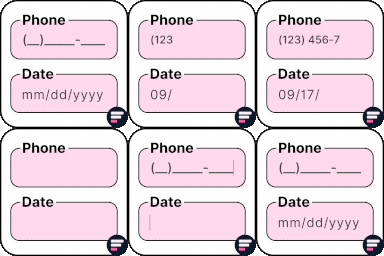
Add input masks to Elementor Pro or Hello Plus form fields - phone, date, time, credit card, CPF, CNPJ, CEP & more for accurate entries.

By quadlayers
Perfect Brands for WooCommerce allows you to show product brands in your WooCommerce based store
CHOOSE WHAT YOUR WEBSITE NEEDS
Start with the task you need to solve. Compare features, WordPress and PHP requirements, update history and the author’s documentation. Test changes on a private copy and avoid adding several plugins for the same job.
This independent directory displays plugin information on WebFulHost and links to the official source. Packages are not mirrored or installed here. A plugin can include paid extensions or services with separate terms from its author.