

Calculate COGS & profit margins, unlock detailed insights into product profitability, and get better financial analytics with our COGS plugin
★ 4.7/5 (41)8,000+ active installations
- Version
- 4.2.4
- WordPress
- 6.1+
- Updated
- 18 Nov 2026
WORDPRESS RESOURCES
Explore public plugin information from the official WordPress.org directory. Compare what a plugin does, its requirements and update history before adding it to your website.
Explore WordPress hosting →1,487 matching plugins reported by WordPress.org · Page 9 of 50
Source: WordPress.org
Data refreshed 21 Nov 2026 20:25 UTC
Calculate COGS & profit margins, unlock detailed insights into product profitability, and get better financial analytics with our COGS plugin
Easily add a range of custom fields to WooCommerce products, from text boxes to date selectors, allowing customers to personalize their orders.
Let customers name their own price on WooCommerce products & donations, offer flexible pricing options with NYOP & open pricing features.

By VillaTheme
Add images using external links - Save your storage with EXMAGE effortlessly
HUSKY - WooCommerce Products Filter (former WOOF) – filter by categories, attributes, price and meta fields, with a built-in MCP server

By Saiful Islam
Helps you to display your products in a searchable table layout with filters.
Bulk Edit Upsells and Cross-sells plugin allows you to boost sales by enabling bulk edit of WooCommerce Linked products and AI Product Recommendations

By WPClever
WPC Composite Products provide a powerful kit-building solution for WooCommerce store.
By M Sohaib Qayyum
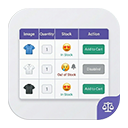
Display WooCommerce product variations in a beautiful, searchable and filterable table with advanced styling options.
AI-assisted wholesale plugin for WooCommerce with wholesale pricing, B2B user roles, registration forms, private store and MCP support.
WooCommerce checkout field editor and manager helps to manage checkout fields in WooCommerce

By Themepure
Replace default WooCommerce variation dropdowns with beautiful color, image, and label swatches on product and shop pages.
CHOOSE WHAT YOUR WEBSITE NEEDS
Start with the task you need to solve. Compare features, WordPress and PHP requirements, update history and the author’s documentation. Test changes on a private copy and avoid adding several plugins for the same job.
This independent directory displays plugin information on WebFulHost and links to the official source. Packages are not mirrored or installed here. A plugin can include paid extensions or services with separate terms from its author.





