
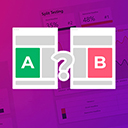
Split Test For Elementor
By rocketelements
Adds split testing functionality to elementor
★ 4.4/5 (24)3,000+ active installations
- Version
- 1.9.3
- WordPress
- 4.9+
- PHP
- 7.4+
- Updated
- 10 Aug 2026
WORDPRESS RESOURCES
Explore public plugin information from the official WordPress.org directory. Compare what a plugin does, its requirements and update history before adding it to your website.
Explore WordPress hosting →2,300 matching plugins reported by WordPress.org · Page 9 of 50
Source: WordPress.org
Data refreshed 20 Nov 2026 19:43 UTC
By rocketelements
Adds split testing functionality to elementor

By wpluna
Renders ACF or Secure Custom Fields repeater values in Elementor loop items and loop grids via Dynamic Tags.

The best drag-and-drop Popup Builder for WordPress. Create Popups, exit-intent popups, slide-ins, and lead generation forms & Woocommerce popups i …

Templately is an AI-powered WordPress templates cloud for Elementor and Gutenberg that offers 6,500+ ready template designs for a wide range of niches

The drag and drop AI form builder for contact forms, multi-step forms, payment forms, quizzes, polls, surveys, calculators, and web apps.

By Themesflat
Themesflat Addons For Elementor plugin you install after Elementor!. Themesflat addon focuses on support for the author build Template Kits

By Brainstorm Force
When using a Page Builder, things like page title, boxed layout usually limit your creativity. This plugin helps you go fullwidth on any* theme.
A prompt, a brief, a Figma file or an AI build becomes native editable WordPress you own. Elementor, Gutenberg, Bricks. No rebuild, no lock-in.

By Forge12 Interactive GmbH
SilentShield – the invisible shield against spam. Spam is the weed of the internet. It clogs your forms, steals your time, and corrupts your data.
EnterAddons | Ultimate Addons For WordPress And Elementor
Build complete WordPress websites faster with Free Theme Builder and Powerful Dynamic Widgets.

By UserElements
Style Ultimate Member login, register, directory, and profile pages in Elementor.
CHOOSE WHAT YOUR WEBSITE NEEDS
Start with the task you need to solve. Compare features, WordPress and PHP requirements, update history and the author’s documentation. Test changes on a private copy and avoid adding several plugins for the same job.
This independent directory displays plugin information on WebFulHost and links to the official source. Packages are not mirrored or installed here. A plugin can include paid extensions or services with separate terms from its author.


