

AIOSEO is the WordPress SEO plugin. Boost SEO rankings with AI SEO tools, schema, meta descriptions, XML sitemaps & rank tracking.
★ 4.7/5 (5,241)2,000,000+ active installations
- Version
- 5.0.5.1
- WordPress
- 5.7+
- PHP
- 7.4+
- Updated
- 13 Nov 2026
WORDPRESS RESOURCES
Explore public plugin information from the official WordPress.org directory. Compare what a plugin does, its requirements and update history before adding it to your website.
Explore WordPress hosting →10,000 matching plugins reported by WordPress.org · Page 9 of 50
Source: WordPress.org
Data refreshed 21 Nov 2026 00:13 UTC
AIOSEO is the WordPress SEO plugin. Boost SEO rankings with AI SEO tools, schema, meta descriptions, XML sitemaps & rank tracking.
Save and manage Contact Form 7 messages. Never lose important data. It is a lightweight contact form 7 database plugin.
The AI chatbot, AI agent and MCP server for WordPress. Connect OpenAI, Claude, Gemini and more to chat, write, search and automate your site.
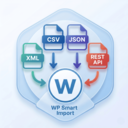
By Xylus Themes
Import any XML file into WordPress in minutes — no coding needed, just drag, drop, map your fields & go live instantly!

By kimipooh
The plugin additionally allows the mime types and file extensions to WordPress.

By Cloudways
Breeze is a caching plugin developed by Cloudways. Breeze uses advance caching systems to improve site loading times exponentially.

By Cellophile
Automatic File Renamer let you rename with prefix or suffix media's name, and redirect attachment pages where you want (3 options).

By ultraDevs
Turn Dropbox into a WordPress file manager — browse, embed, upload & share files with shortcodes, blocks & forms.

By Shafat Mahmud Khan
File manager for WordPress: explorer-style dashboard, frontend file browser, drag-and-drop uploads, ZIP downloads, cloud storage, protected folders.

By Mark McNeece of 365i
The only WordPress plugin that generates all 10 AI Discovery Files and shows which AI bots read them. Built by 365i.

By SilkyPress
Easily add Custom CSS or JS to your website with an awesome editor.
The best WordPress backup and migration plugin. Quickly and easily backup ,migrate, copy, move, or clone your site from one location to another.
CHOOSE WHAT YOUR WEBSITE NEEDS
Start with the task you need to solve. Compare features, WordPress and PHP requirements, update history and the author’s documentation. Test changes on a private copy and avoid adding several plugins for the same job.
This independent directory displays plugin information on WebFulHost and links to the official source. Packages are not mirrored or installed here. A plugin can include paid extensions or services with separate terms from its author.


