

Session and login manager for WordPress. Limit concurrent logins, stop account sharing, auto logout idle users and force logout any device.
★ 4.9/5 (112)8,000+ active installations
- Version
- 3.4.1
- WordPress
- 6.5+
- PHP
- 7.4+
- Updated
- 8 Nov 2026
WORDPRESS RESOURCES
Explore public plugin information from the official WordPress.org directory. Compare what a plugin does, its requirements and update history before adding it to your website.
Explore WordPress hosting →1,222 matching plugins reported by WordPress.org · Page 9 of 50
Source: WordPress.org
Data refreshed 21 Nov 2026 02:10 UTC
Session and login manager for WordPress. Limit concurrent logins, stop account sharing, auto logout idle users and force logout any device.

By Yevhen Leonidov
Complete security platform for everyday: block bots, brute-force, viruses, spam, fake crawlers. WAF, 2FA, no-malware, proactive defense.

By Danila Vershinin
Automatically empty proxy cached content when your site is modified.

By Denis Alemán
Protect WordPress/WooCommerce/Contact Form 7 forms from spam, brute-force attacks, fake comments, accounts, or registrations with Google reCAPTCHA.
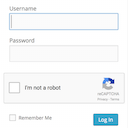
By Robert Peake
Adds a Google No Captcha ReCaptcha checkbox to your Wordpress and Woocommerce login, forgot password, and user registration pages.
All in one WordPress plugin - accessibility, tag manager, notes, floating contact buttons, back to top, cookie bar and more.

WordPress MCP server for Claude and ChatGPT with limited access, a pause switch, read-only mode, drafts you approve, playbooks and an audit log.

By Delower Hossain
Safely disable XML-RPC, block attacks with HTTP 403, stop pingback DDoS, and protect your WordPress site with a single click.

By Alberto Hornero
Frontend login, registration, profile and password reset forms with blocks or shortcodes. WPML certified, reCAPTCHA and WooCommerce compatible.
Build membership sites with tiered plans, content restriction, drag-&-drop custom registration & login form builder, and built-in payment system.
A lightweight WordPress plugin for performance, security, cleanup, and everyday tweaks.

By Pär Thernström
Track changes and user activities on your WordPress site. See who created a page, uploaded an attachment, and more, for a complete audit trail.
CHOOSE WHAT YOUR WEBSITE NEEDS
Start with the task you need to solve. Compare features, WordPress and PHP requirements, update history and the author’s documentation. Test changes on a private copy and avoid adding several plugins for the same job.
This independent directory displays plugin information on WebFulHost and links to the official source. Packages are not mirrored or installed here. A plugin can include paid extensions or services with separate terms from its author.


