

The easiest way to connect Google Analytics 4 to WordPress. See real-time stats, eCommerce, and events tracking, right in your dashboard.
★ 4.7/5 (488)20,000+ active installations
- Version
- 9.1.2
- WordPress
- 4.0+
- Updated
- 25 Sep 2026
WORDPRESS RESOURCES
Explore public plugin information from the official WordPress.org directory. Compare what a plugin does, its requirements and update history before adding it to your website.
Explore WordPress hosting →1,079 matching plugins reported by WordPress.org · Page 9 of 50
Source: WordPress.org
Data refreshed 19 Nov 2026 20:44 UTC
The easiest way to connect Google Analytics 4 to WordPress. See real-time stats, eCommerce, and events tracking, right in your dashboard.

By Axton
WP-WebAuthn enables passwordless login through FIDO2 and U2F devices like Passkey, FaceID or Windows Hello for your site.

By Heateor Support
Allow your website visitors to login to your website via their Facebook accounts

By handyplugins
Create and manage your security.txt from within WordPress. The easiest way to manage security policy.

By tmeister
Extends the WP REST API using JSON Web Tokens Authentication as an authentication method.

By Webの相談所
Alternative CSV Importer plugin. Simple and powerful, best for geeks.

By TrustedLogin
Disable Dashboard access for users of a specific role or capability. Disallowed users are redirected to a chosen URL. Get set up in seconds.

By Connect Think
Compiles .scss files to .css and enqueues them.

By morehawes
Create beautiful, interactive Maps with Waymark.

By Burst Statistics B.V.
Simple, lightweight WordPress analytics with privacy-friendly visitor tracking. Cookieless and GDPR-ready. Setup in seconds, no cookie banner needed.

By Gustavo Bordoni
FakerPress is a clean way to generate fake and dummy content to your WordPress, great for developers who need testing
By Ozh
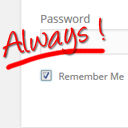
Always checked 'Remember Me' checkbox and longer auth cookie expiration. Your blog will remember you.
CHOOSE WHAT YOUR WEBSITE NEEDS
Start with the task you need to solve. Compare features, WordPress and PHP requirements, update history and the author’s documentation. Test changes on a private copy and avoid adding several plugins for the same job.
This independent directory displays plugin information on WebFulHost and links to the official source. Packages are not mirrored or installed here. A plugin can include paid extensions or services with separate terms from its author.