

AEH Speed Optimization boosts site speed with caching, minification, lazy loading, and image optimization to improve performance and SEO.
★ 3.2/5 (20)2,000+ active installations
- Version
- 3.4.0
- WordPress
- 3.5+
- Updated
- 15 Oct 2026
WORDPRESS RESOURCES
Explore public plugin information from the official WordPress.org directory. Compare what a plugin does, its requirements and update history before adding it to your website.
Explore WordPress hosting →2,323 matching plugins reported by WordPress.org · Page 9 of 50
Source: WordPress.org
Data refreshed 21 Nov 2026 06:54 UTC
AEH Speed Optimization boosts site speed with caching, minification, lazy loading, and image optimization to improve performance and SEO.

By Benbodhi
Securely upload SVG files to your media library, with built-in sanitization and advanced features for styling and animation.

By WP Overnight
Create, print & automatically email PDF or XML Invoices & PDF Packing Slips for WooCommerce orders.

By Fernando Tellado
Page cache, browser cache, defer JS, critical CSS, lazy load and WordPress cleanup. Speed up your site and disable the bloat you do not need.

By AIOSEO Plugin Team
Broken link checker that finds and fixes broken links, broken images, and dead video links to protect your site's SEO.
Speed up your site with 10Web Booster. Pass Core Web Vitals by optimizing HTML / CSS / JavaScript, Image Optimization, Lazy Loading, Cache, Google Fon …
Import and export WooCommerce products via CSV. Bulk upload products, update stock and prices, and import or export product images.
Generate WooCommerce product feeds for 200+ marketplaces. Sell on Google Shopping, Facebook, Instagram, Amazon, eBay, TikTok and more.

By Sully
Export (an XML file) a single post or page using WordPress' eXtended RSS (WXR). There's no need to export your entire database anymore!

By OpenGraph.xyz
Stop losing clicks to boring social previews. Boost your Click-Through Rate (CTR) by up to 70% with AI-powered, dynamic Open Graph images.
By SACHINRAJ CP
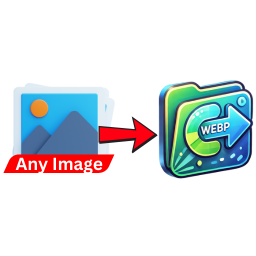
Automatically convert uploaded images (PNG, JPG, JPEG) to WebP format to enhance website performance and reduce load times.

By Team Staatic
Use WordPress as your CMS, then publish a fast, lower-exposure static version of your site.
CHOOSE WHAT YOUR WEBSITE NEEDS
Start with the task you need to solve. Compare features, WordPress and PHP requirements, update history and the author’s documentation. Test changes on a private copy and avoid adding several plugins for the same job.
This independent directory displays plugin information on WebFulHost and links to the official source. Packages are not mirrored or installed here. A plugin can include paid extensions or services with separate terms from its author.


