
Preload Featured Images
By WPZOOM
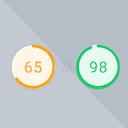
Preload Featured Images automatically in posts to increase the PageSpeed Score.
★ 5.0/5 (3)1,000+ active installations
- Version
- 1.1.0
- WordPress
- 6.3+
- PHP
- 7.4+
- Updated
- 20 Aug 2026
WORDPRESS RESOURCES
Explore public plugin information from the official WordPress.org directory. Compare what a plugin does, its requirements and update history before adding it to your website.
Explore WordPress hosting →8,987 matching plugins reported by WordPress.org · Page 9 of 50
Source: WordPress.org
Data refreshed 21 Nov 2026 10:40 UTC
By WPZOOM
Preload Featured Images automatically in posts to increase the PageSpeed Score.

By seosbg
Change the typography of your whole site without code: sizes, fonts, Google Fonts, line height, colors, mobile sizes, fluid scaling and live preview.
Need a Before After Image Comparison slider? Create your before and after slider with BEAF. Addon for Elementor Before and After Slider is included.
Everything you need for a faster website – smart optimization, advanced caching, adaptive images, WebP creation, script improvements, optional CDN del …

Import external images into your WordPress Media Library from any URL, CSV, XML export, or Google Drive link. Bulk import, site migration ready.
Easily showcase visual differences between two images with an interactive before-and-after slider – no coding required!
Search millions of stock photos, generate AI images with OpenAI & Gemini, browse GIFs, and import directly to your Media Library.

By Weblizar - WordPress Themes & Plugin
Pin Your Images With weblizar pin it button on image hover and post.

By Themeisle
Automatically generate, assign, and manage featured images in bulk so every post on your site has a featured image.
Rename image files and media metadata for SEO and tidiness. Using AI, manually, in bulk, or in so many other ways!
Automatic alt text for WordPress and WooCommerce. Dynamic, reversible, and based on your existing SEO context from Yoast, Rank Math, SEOPress, or AIOS …

By Binsaifullah
Before and after image comparison slider block for Gutenberg. Lightweight, accessible, responsive and touch friendly. No jQuery.
CHOOSE WHAT YOUR WEBSITE NEEDS
Start with the task you need to solve. Compare features, WordPress and PHP requirements, update history and the author’s documentation. Test changes on a private copy and avoid adding several plugins for the same job.
This independent directory displays plugin information on WebFulHost and links to the official source. Packages are not mirrored or installed here. A plugin can include paid extensions or services with separate terms from its author.





